

1
Open Integrations
In the Chainloop web UI, go to Integrations. Under the source-control integrations you’ll find GitHub and GitLab.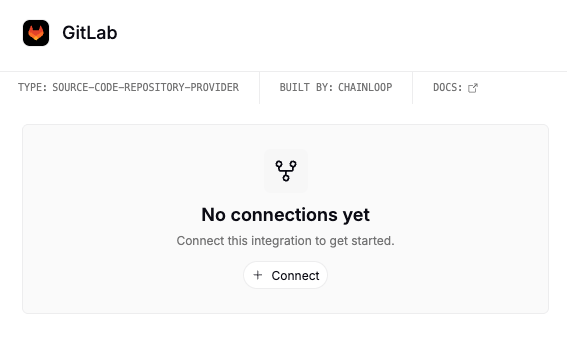
2
Connect the provider you use
Follow the provider-specific flow below.
- GitHub
- GitLab
Click Connect on the GitHub integration. GitHub prompts you to install the Chainloop GitHub App on your account or organization, then choose whether to grant access to all repositories or select individual ones.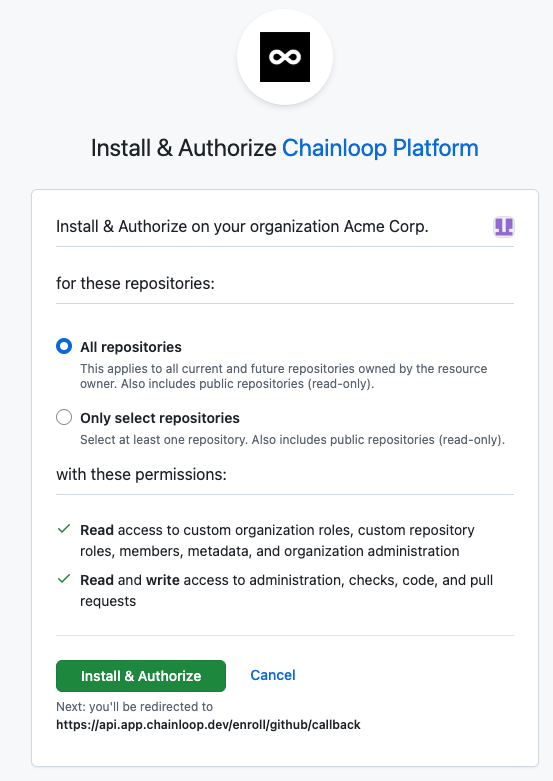
GitHub organizations with SAML single sign-on: if your organization enforces SAML SSO, authorize your GitHub session for that organization first, then start the connection again. Without it GitHub hides the installation from Chainloop’s check and the connection is refused.
Chainloop stores only repository metadata (ID and name), not your repository code.
Adjusting repository access
To change which repositories Chainloop can see, use the provider rather than reconnecting from Chainloop:- GitHub: use the Manage access link in Chainloop — from the Create Project wizard or the GitHub integration’s detail panel. It opens that installation’s configuration page on GitHub, where you update the repository selection; saving returns you to Chainloop with the updated repository list. No authorization prompt appears, since the connection already exists.
- GitLab: grant or revoke the access token’s membership on the relevant groups and projects (a token sees repositories at Developer level or above). To swap the token entirely, disconnect the connection from Integrations and register a new one.
Reconnecting
If a connection breaks, managed workflows and other repository features are paused for the affected repositories until you reconnect.- GitHub: if the App is uninstalled, go to Integrations, click Connect, and re-grant repository access. Because this creates a new installation, GitHub asks you to authorize Chainloop again.
- GitLab: if the access token is revoked or expires, register the connection again from Integrations with a valid token.
Once connected, create a project and link a repository to it. See also the Repository Integration overview for how the providers differ and what connecting enables, and the GitHub permissions reference for the exact scopes the Chainloop GitHub App requests.