This feature is only available on Chainloop’s platform paid plans.
Overview
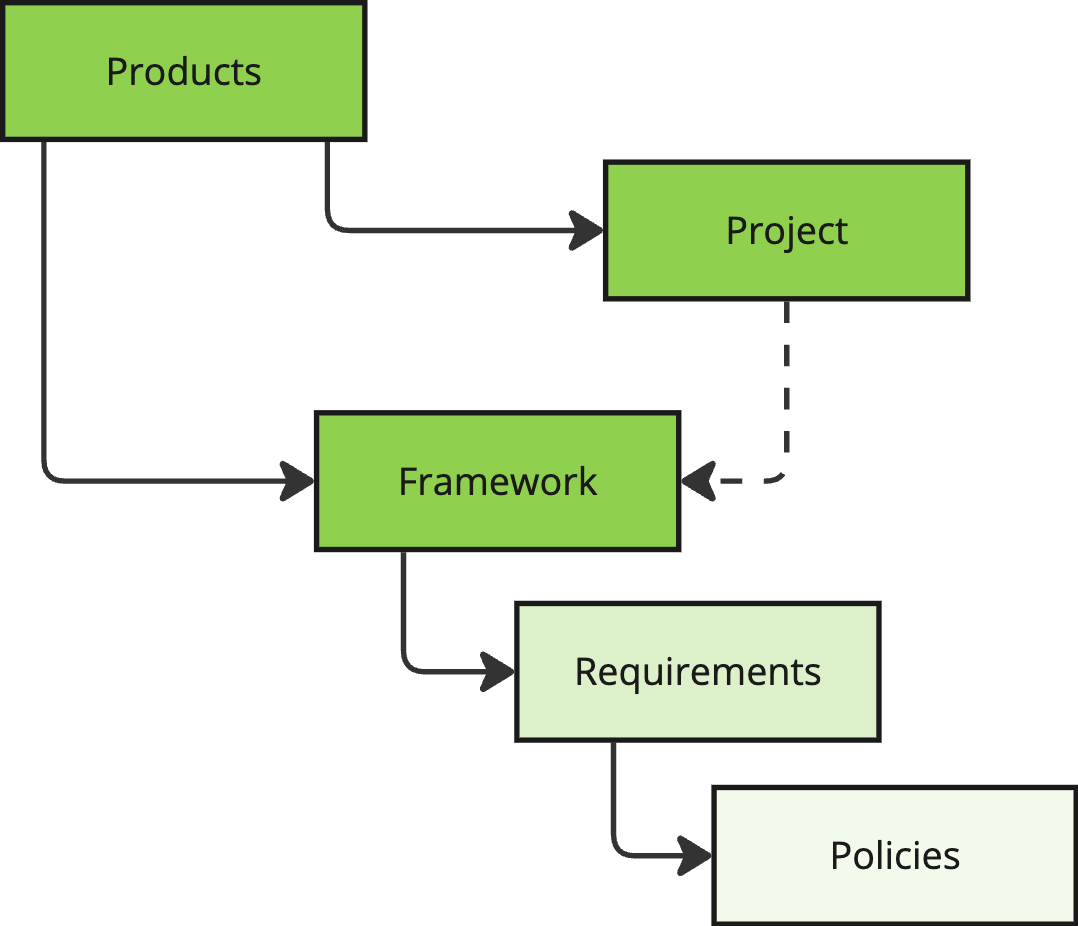
Compliance, Risk Management, and Release Management teams need a seamless way to communicate SDLC security and compliance requirements to development teams. This is critical in organizations with hundreds or thousands of different products. Chainloop provides a convenient way to model Projects (software products) and Versions. Then, Compliance teams can apply Compliance Requirements through Frameworks to these projects. Requirements can be written in a high-level language, like “container images must be signed”, “an AGPL license is forbidden”, “the software must be free from high-severity vulnerabilities”, “code repositories must be configured with least privilege principle access controls”, etc.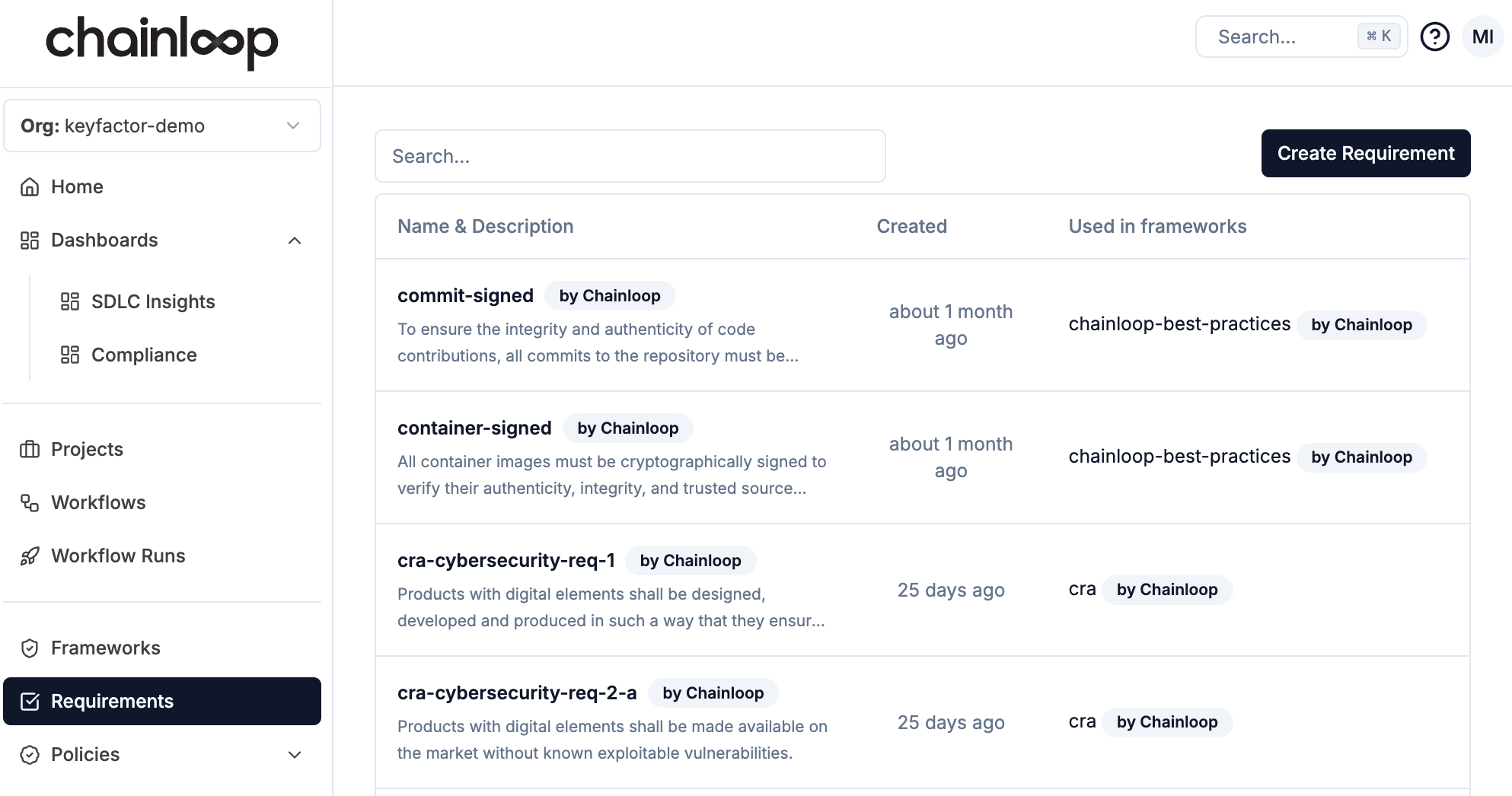
- Built-in: Chainloop provides a good set of pre-built frameworks and requirements that can be directly applied to projects or used as the basis for building custom. Built-in requirements can be used in custom frameworks or copied to custom requirements.
- Custom: Organizations can manage their own private org-level frameworks and requirements.
Supported Built-in Frameworks
In-Preview Compliance Frameworks
By default, compliance frameworks are enabled in the Chainloop Platform. However, frameworks under active development and subject to change are available in-preview mode. These are disabled by default and require manual activation. To enable frameworks in preview mode, a team member with the role Owner or Admin can go to Settings → General, mark “Enabled” in the In-Preview Compliance Frameworks section and “Update”.
Using Frameworks
Using frameworks is a two steps process:- Connect an existing framework to a product version
- Optional: Update your contracts to reference the requirements in the framework
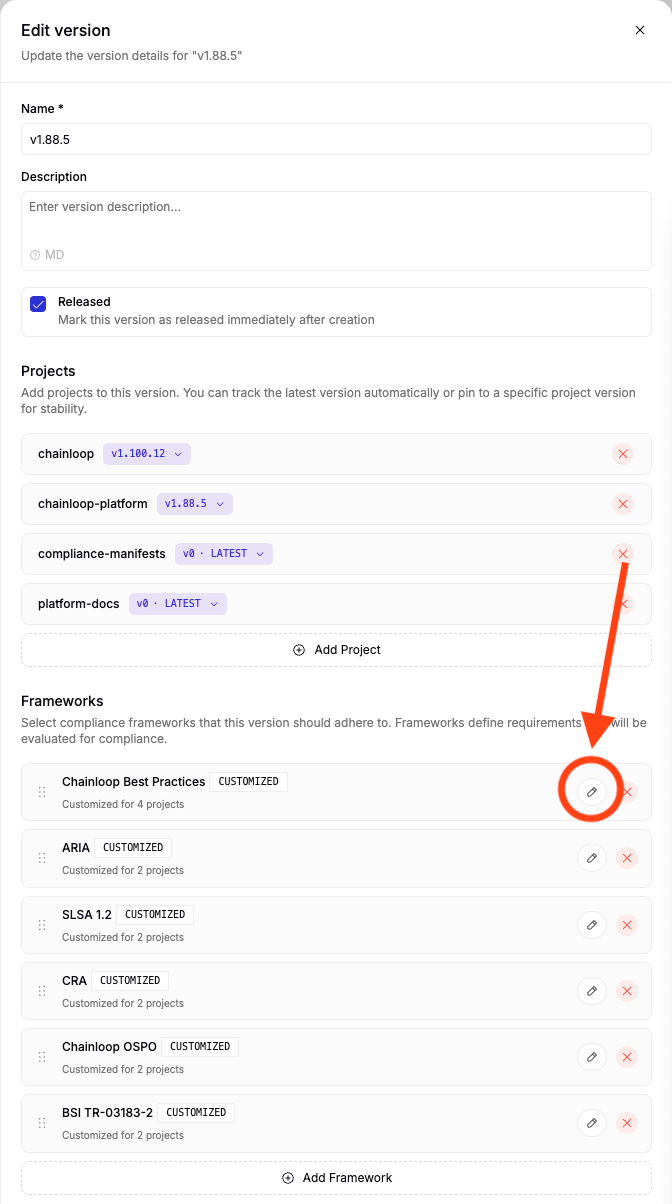
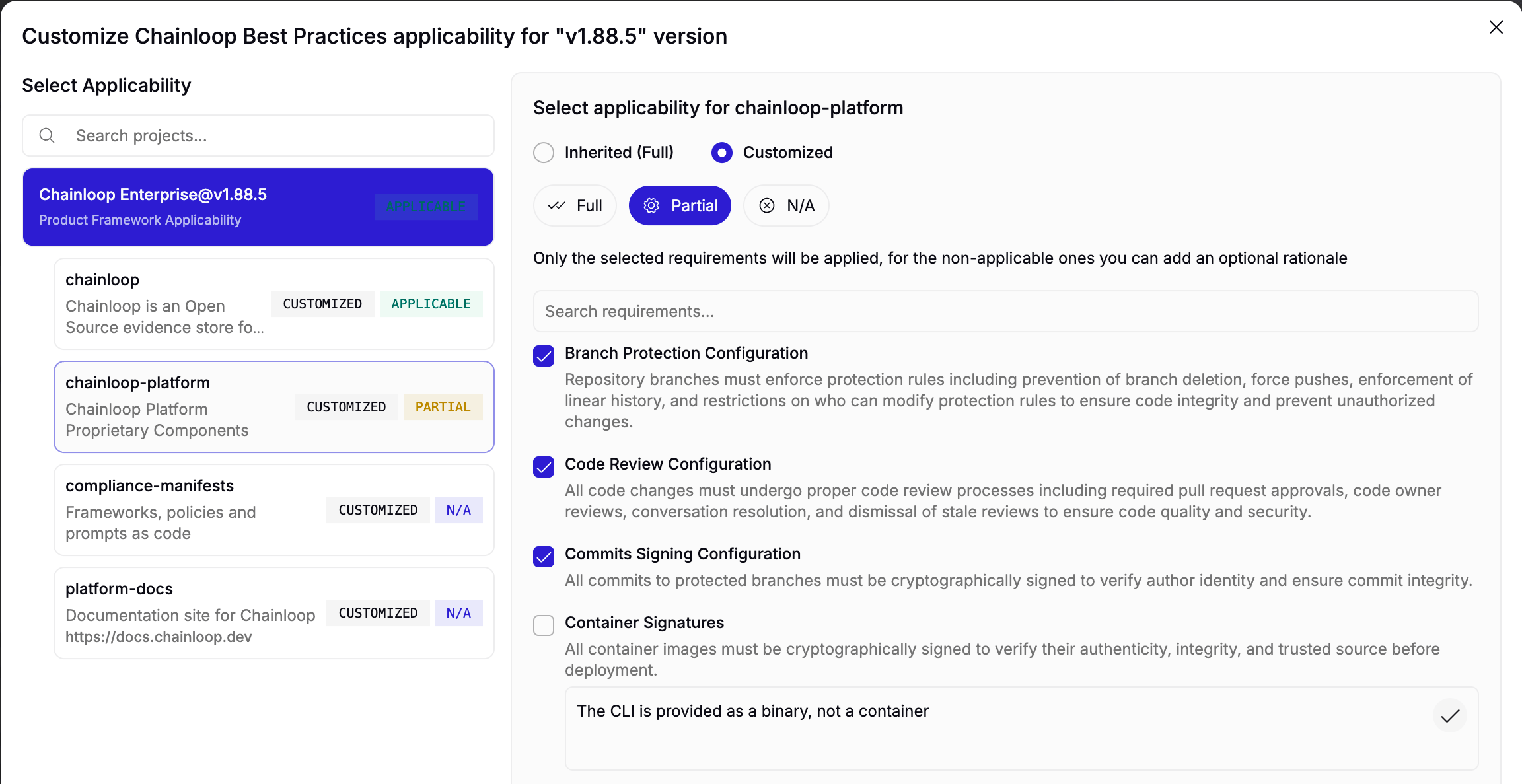
1 - Attach Frameworks to Products
You can attach any existing compliance framework to any of your products by editing the product version.
2 - Match Policy Evaluations to Requirements
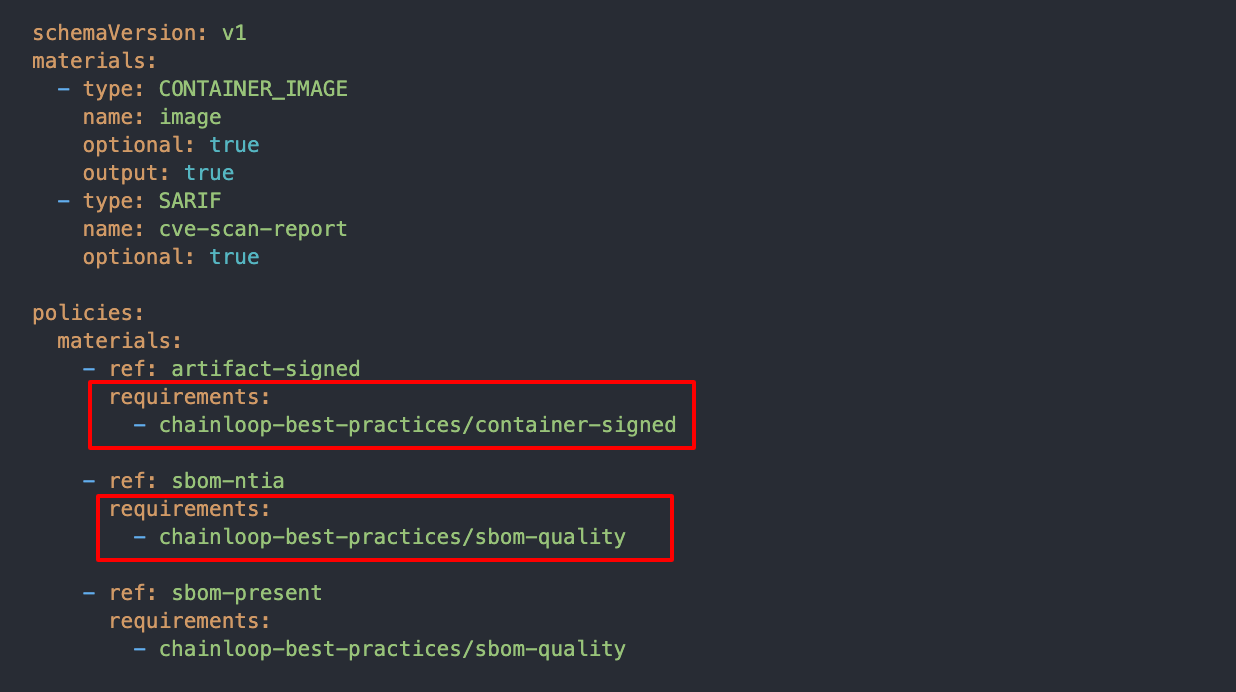
Chainloop provides two ways to match policies to requirements:- Automatic matching (default): Policies are matched to requirements based on policy parameters and evaluation results.
- Explicit matching: Policies are matched to requirements explicitly by the user.
[framework-name]/[requirement-name].
To get the fully qualified name of a requirement, you can click on the requirement in the framework and copy the fully qualified name from the popover.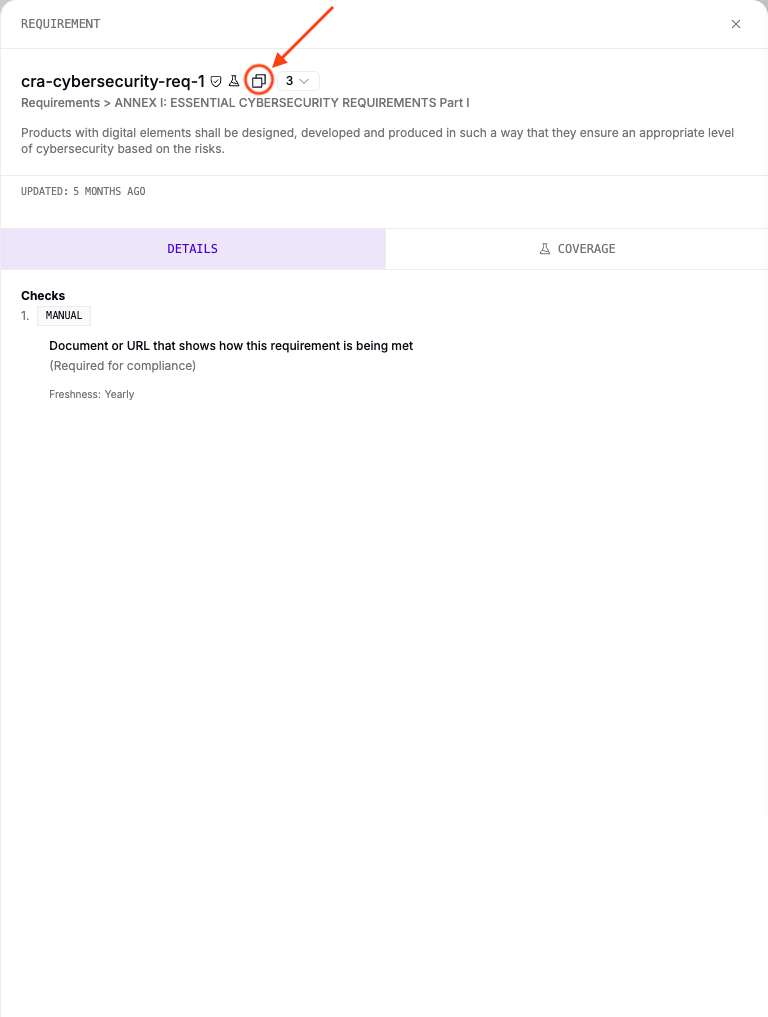
Record Requirement Exceptions
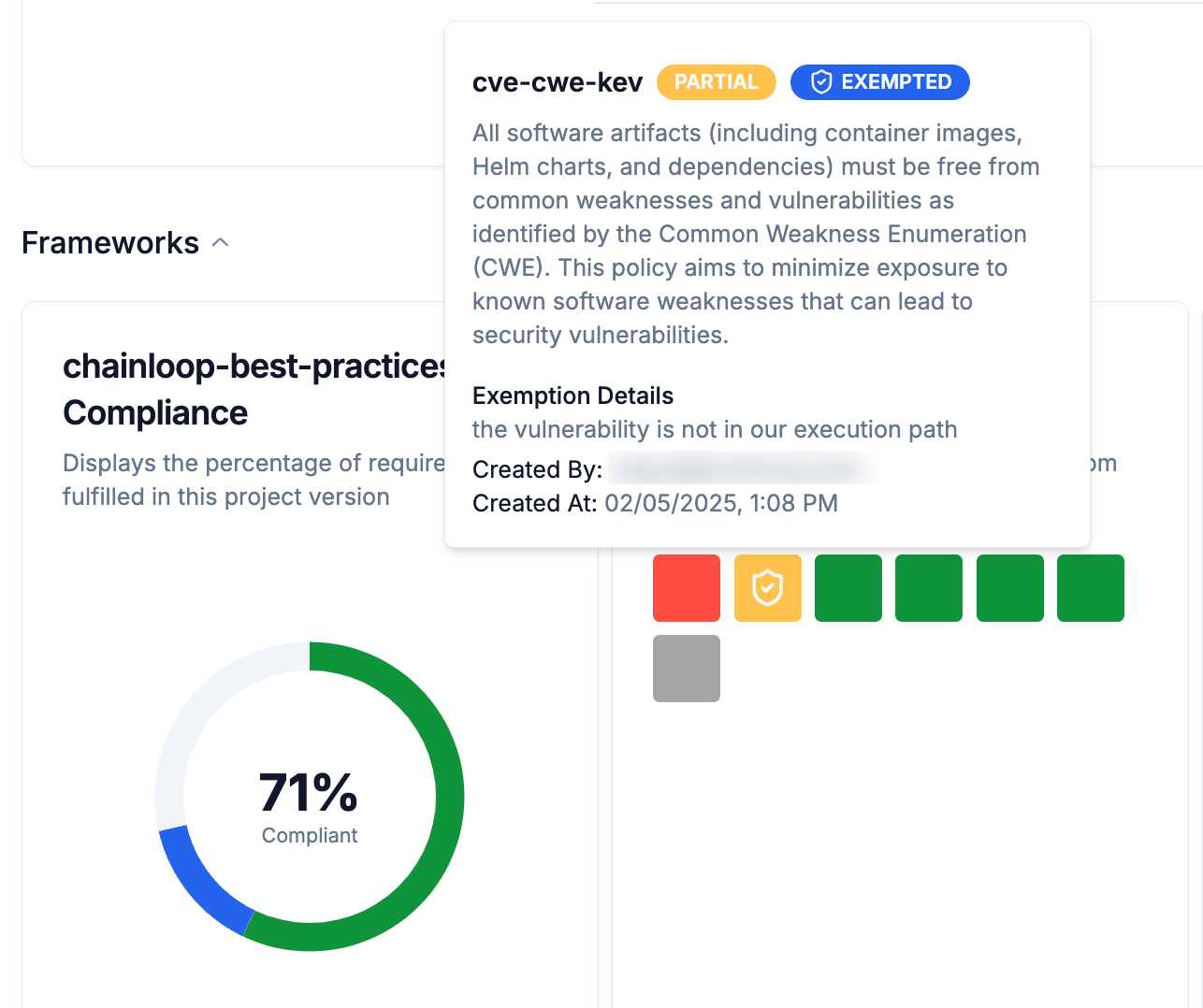
When you attach a compliance framework to a product, a set of expected requirements will be tracked over time for each related project, filling up your compliance and security posture. In some scenarios, not all requirements can be met before performing a release, so in that case, the requirement can be flagged as an exception using the Flag as Exception action.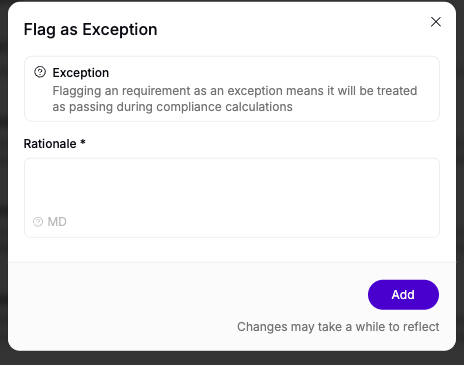
Requirement status overrides
In addition to exceptions, you can also manually override the status of a requirement to “Passed”, or “Failed”. This can be useful in scenarios where the automated evaluation does not capture the full context of the requirement compliance. The difference with exceptions is that overrides will be considered when calculating the final compliance status, while exceptions will ignore the requirement status.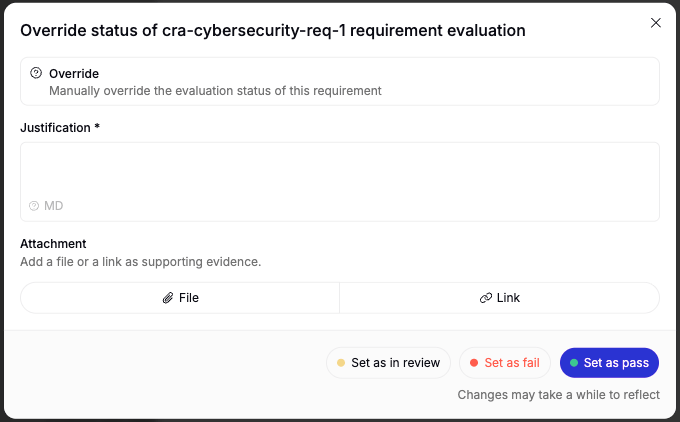
Product-level overrides
Overrides can be applied at the product level for project-scoped requirements. When a product-level override is created, it propagates to all projects under that product, providing a convenient way to override a requirement across an entire product without having to repeat the override in each project individually.Product-level and project-level overrides on the same requirement are mutually exclusive. If a product-level override already exists, project-level overrides cannot be created for that requirement, and vice versa. This prevents conflicting overrides at different levels.
Override approval workflow
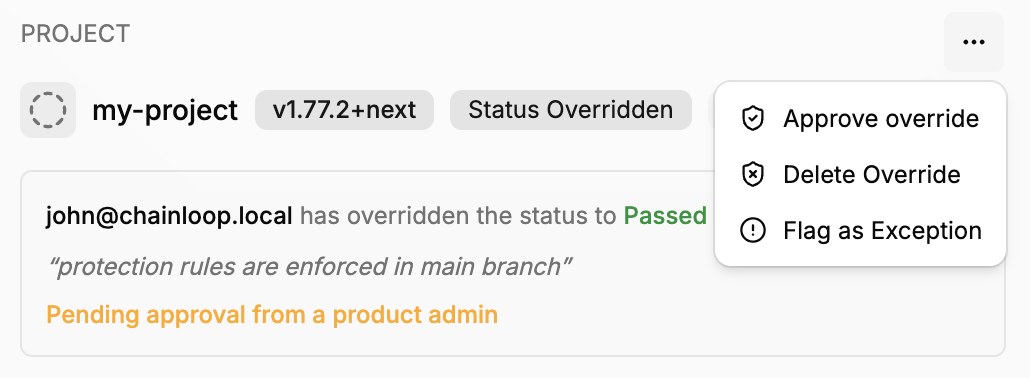
Overrides follow a role-based approval workflow that determines whether an override takes effect immediately or requires approval:- Admins (Organization Owner/Admin, Product Admin, or Project Admin) can create overrides that are auto-approved and take effect immediately.
- Viewers (Product Viewer or Project Viewer) can request an override. The request is created with a “Needs Review” status and must be approved by an Admin before it affects compliance.
Requirement Lifecycle Management
Requirements can be Active or Inactive to control which requirements are being evaluated and tracked.Active Requirements
Requirements that are currently enforced and evaluated. These appear in compliance dashboards. Compliance scores and metrics only include active requirements.Inactive Requirements
Requirements that are not currently enforced. These do not get evaluated. Inactive requirements do not affect compliance calculations.Custom frameworks or requirements
Apart from using the built-in frameworks and requirements, you can also create your own. You can either start from scratch or base your framework or requirement on an existing one by clicking on the duplicate icon.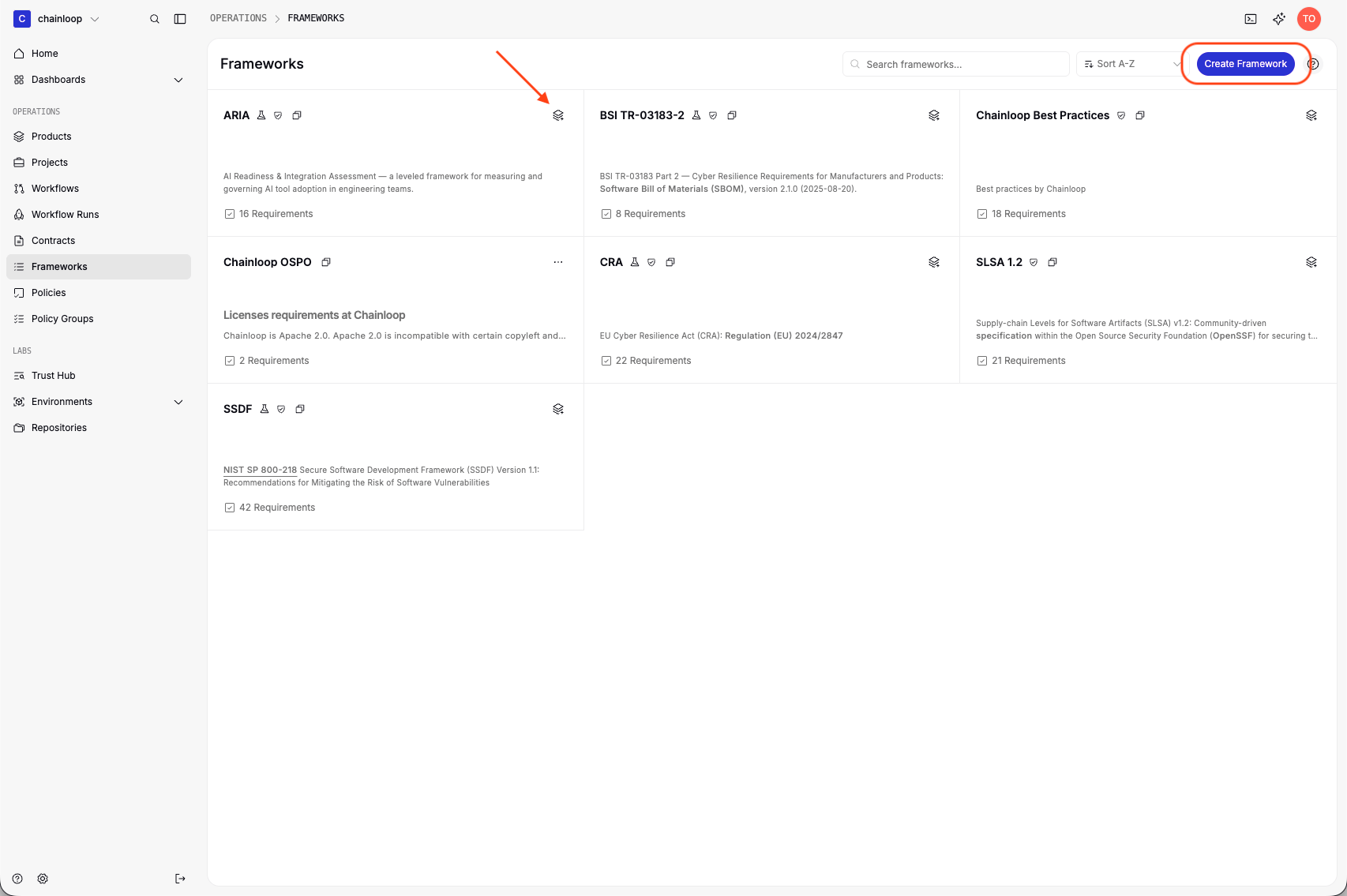
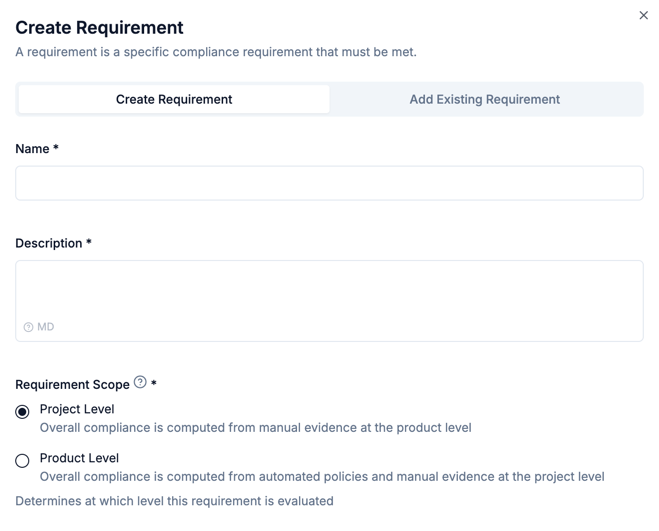
Project and product level requirements
Chainloop allows to scope requirement evaluations at two levels: products and projects. They are exclusive, meaning that requirements scoped at product level won’t be evaluated in the underlying projects, and vice versa. For example, products might be required to provide an architecture review, while underlying projects are not affected by this requirement. On another example, projects might be required to provide an SBOM for each component built in the system, but products don’t need to provide it, since they are already present in their projects. There is also a difference in the way those requirements are evaluated:- Project-scoped requirements are computed automatically from policies evaluated against provided materials and attestations. They also allow users to provide manual pieces of evidence to contribute to the requirement status.
- On the other hand, Product-scoped requirements are only evaluated from user provided pieces of evidence at the product level.
scope annotation in the declarative YAML schema.
Declarative Management
In addition to using the UI, you can manage custom frameworks and requirements declaratively by defining them as YAML files and applying them via the CLI. This enables version-controlled, reproducible compliance configurations. Frameworks and requirements can be listed, described, applied, and deleted using thechainloop framework and chainloop requirement CLI commands. See the CLI Reference for the full list of available commands and flags.
Applying a resource is idempotent: if a framework or requirement with the same name already exists, it will be updated; otherwise, a new one is created.
Requirement Schema
A requirement defines the policies and manual proofs that must be satisfied.Equivalent Checks
Checks within a requirement can be marked as equivalent, meaning they represent equally valid ways to satisfy the same compliance need - only one needs to pass. This is useful when multiple tools or processes can prove the same thing. For example, a vulnerability scanning requirement might accept results from either Trivy or Grype. Assign checks to the same equivalence group by setting thegroup field to a shared name. Equivalence groups can contain policies, manual proofs, or a mix of both:
trivy-scan and grype-scan are equivalent - the requirement is satisfied if either one passes. The cves-in-kev policy stands on its own and must pass independently.
A requirement can contain multiple equivalence groups alongside standalone checks. Each group is satisfied when any one of its members passes. All groups and standalone checks must pass for the requirement to be met.
When a group is satisfied because one member passes, the remaining members that failed are effectively ignored - they do not affect the requirement’s compliance status.
Framework Schema
A framework groups requirements, optionally organized into sections. Sections can be nested to model hierarchical structures.- Each requirement reference must appear only once in a framework, whether in the root
requirementslist or within a section. - Section names must be unique across the entire framework, including across different nesting levels.
A framework with no requirements or sections must use an explicit empty spec (
spec: {}). Omitting the spec field entirely causes a validation error.Requirements Auto-Matching
By default, Chainloop automatically matches policies to compliance requirements based on policy parameters and evaluation results. When an attestation with policy evaluations is received, Chainloop matches any requirement that defines the same policies or a subset of them. If their parameters align, Chainloop marks that requirement as passed. This matching logic accounts for evaluation parameter values (for example, a vulnerability scan with a MEDIUM threshold will match a requirement expecting a minimum threshold of HIGH, since MEDIUM includes HIGH and CRITICAL vulnerabilities). Organizations can optionally deactivate this feature to enforce explicit requirement declarations in workflow contracts.Deactivating Requirements Auto-Matching
When this setting is deactivated:- Only policies that explicitly declare requirements in workflow contracts will be matched to requirements
- Automatic matching based on policy parameters and evaluation results will be deactivated
- All requirement associations must be explicitly defined by users

Requirement Coverage (Preview)
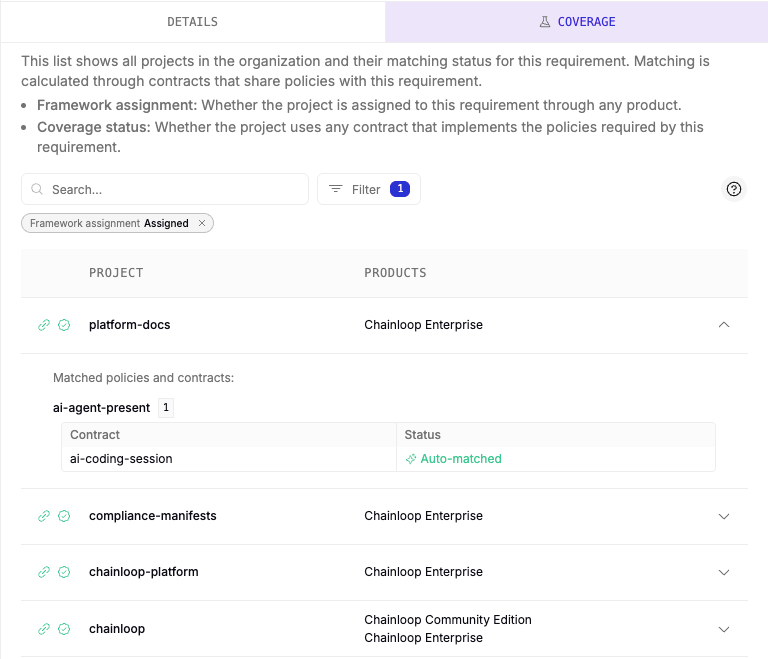
Requirement Coverage provides a view of how your workflow contracts satisfy the policies defined in a compliance requirement. It answers the question: “Which projects and contracts already implement the policies required by this requirement?” For each project, the Coverage view shows whether the requirement’s framework is assigned and which contracts match its policies — fully or partially. This helps compliance teams identify gaps and take action: either include matching contracts in uncovered project workflows, or add the requirement to the exceptions in the applicability matrix if it doesn’t apply. This feature is available as a Coverage tab when viewing a requirement’s details.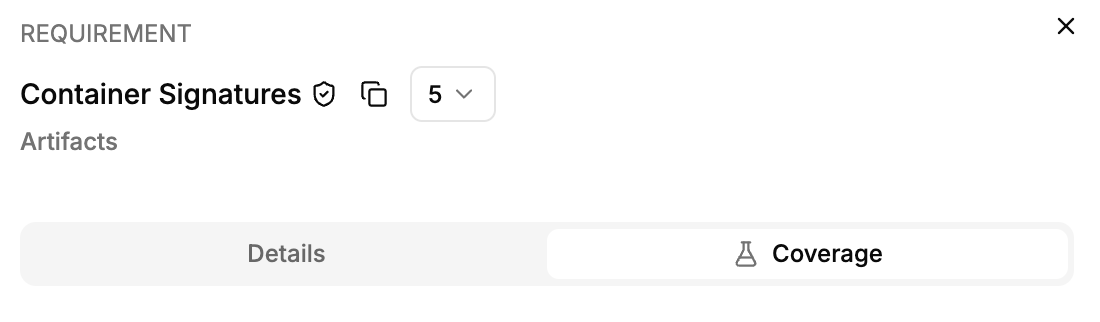
How It Works
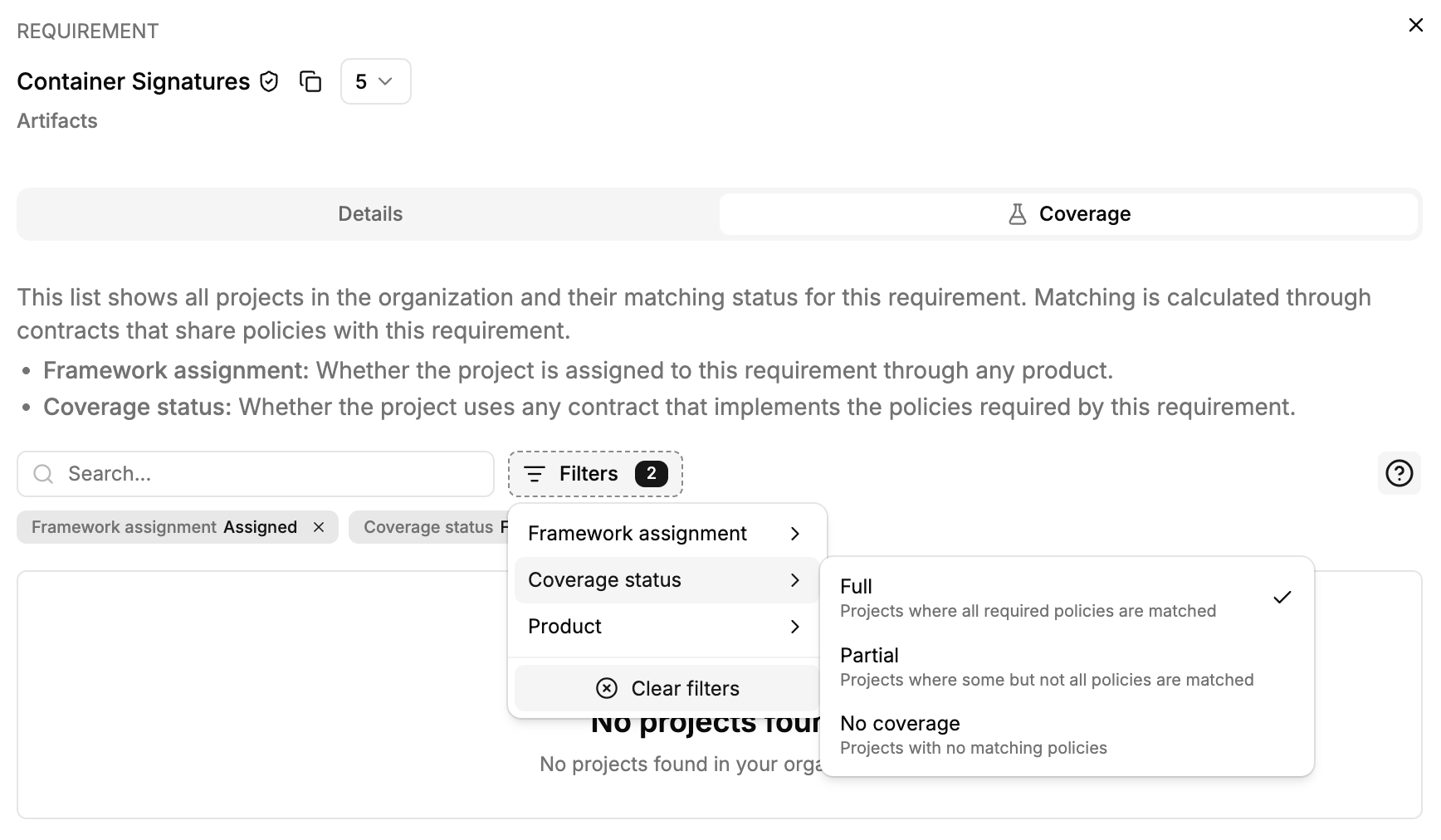
When you open the Coverage view for a requirement, Chainloop analyzes all workflow contracts in your organization and compares their policy attachments against the policies defined in the requirement. For each project, it shows:- Full coverage — All policies in the requirement are matched by at least one contract used in the project.
- Partial coverage — Some policies are matched, but not all.
- No coverage — None of the requirement’s policies are matched by any contract in the project.
Contract Matching
For each policy in a requirement, Chainloop classifies contracts into three categories:
A contract achieves a full match when all requirement policies are matched. A partial match means some policies are satisfied while others are not.
Match Sources
Policies can match a requirement through two mechanisms:-
Explicit match — The contract explicitly declares the requirement by name in its
requirementsfield. See Matching policy evaluations to requirements. - Auto-matched — Chainloop matches the policy automatically based on policy name and parameter compatibility (when auto-matching is enabled).
Filtering the Coverage View
The Coverage view provides several filters to help you navigate large organizations:- Coverage status — Filter by Full, Partial, or No Coverage
- Framework assignment — Show only projects Assigned or Unassigned to the requirement’s frameworks
- Product — Filter by a specific product
Live Preview
The Coverage view is also available when creating or editing a requirement. This allows you to see how your requirement’s policies map against existing contracts before saving, helping you validate that the requirement definition aligns with your organization’s current workflow configurations.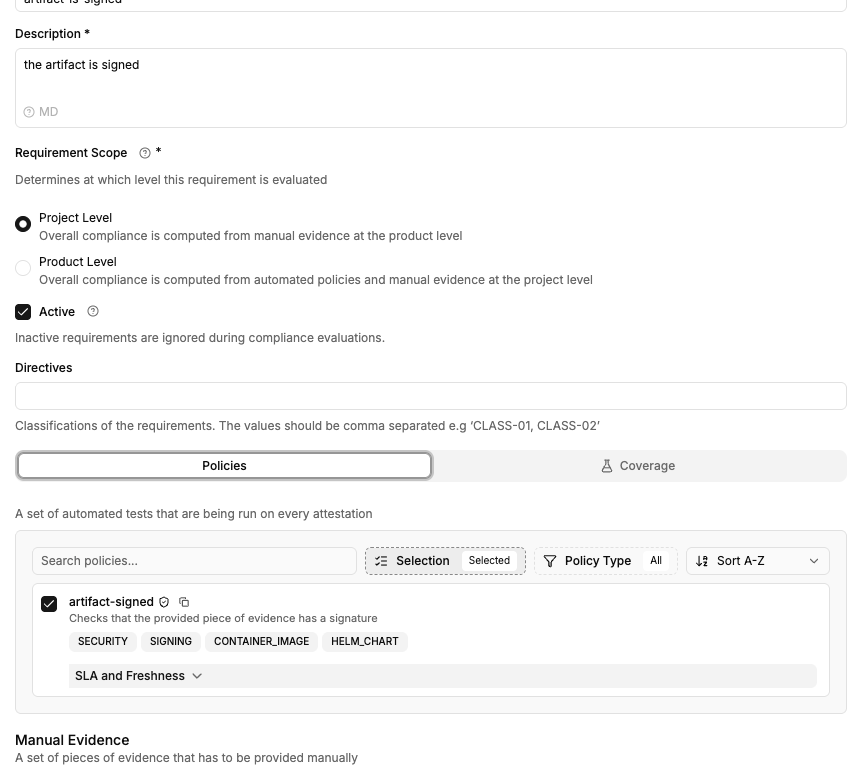
Example: Requirement with Coverage
Consider a requirement that defines two policies (see Declarative management):- Project A (Full coverage) — Uses a contract that includes both
container-signedandvulnerabilitiespolicies with compatible parameters. - Project B (Partial coverage) — Uses a contract with
container-signedbut notvulnerabilities. - Project C (No coverage) — Uses contracts that don’t include either policy.
Freshness and SLA
Requirement policies and manual evidence proofs can be set to expire after a certain time. Once expired, the requirement will be automatically marked as “Expired”. This can be useful to ensure that proofs of compliance are fresh and relevant at all times.For example, a requirement that requires a security review to be performed every 6 months can be set to expire after that period to indicate that the review is no longer relevant and must be submitted again.
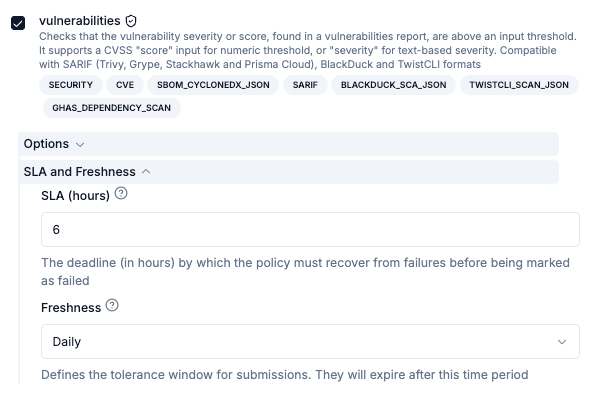
Or a vulnerability scan policy can be set to expire daily, so that it’s guaranteed that the scan is performed at least once a day.Freshness configuration can be set for both policies and manual evidence proofs. SLAs are another feature that allows providing a timeframe for developers to comply with security requirements. SLAs can be set on policies, and they indicate a tolerance window in which the policy can remain in “failed” status without affecting the overall compliance score. During this window, the policy will be considered as “in grace period”.
Freshness and SLAs can be used together. Following the example above, a security scan with a freshness of 24 hours and an SLA of 6 hours indicates that:
- the scan must be performed at least once a day, and,
- in case of failure (because it has HIGH severity vulnerabilities), those must be fixed within 6 hours of the failure.