

User Authentication
- Purpose: For interactive use and attestations
- Association: Tied to a user account.
- Duration: Valid for 24 hours
chainloop auth login command.
Chainloop API tokens
- Purpose:
- For non-interactive use (automation) such as CI/CD.
- To perform attestations
- Association: Project-scoped, product-scoped, or organization-scoped.
- Features:
- Customizable expiry and manual revocation.
- Supports fine-grained ACL for access control.
chainloop organization api-token command.
- Web UI
- CLI
You can manage your API tokens in the API Tokens Section.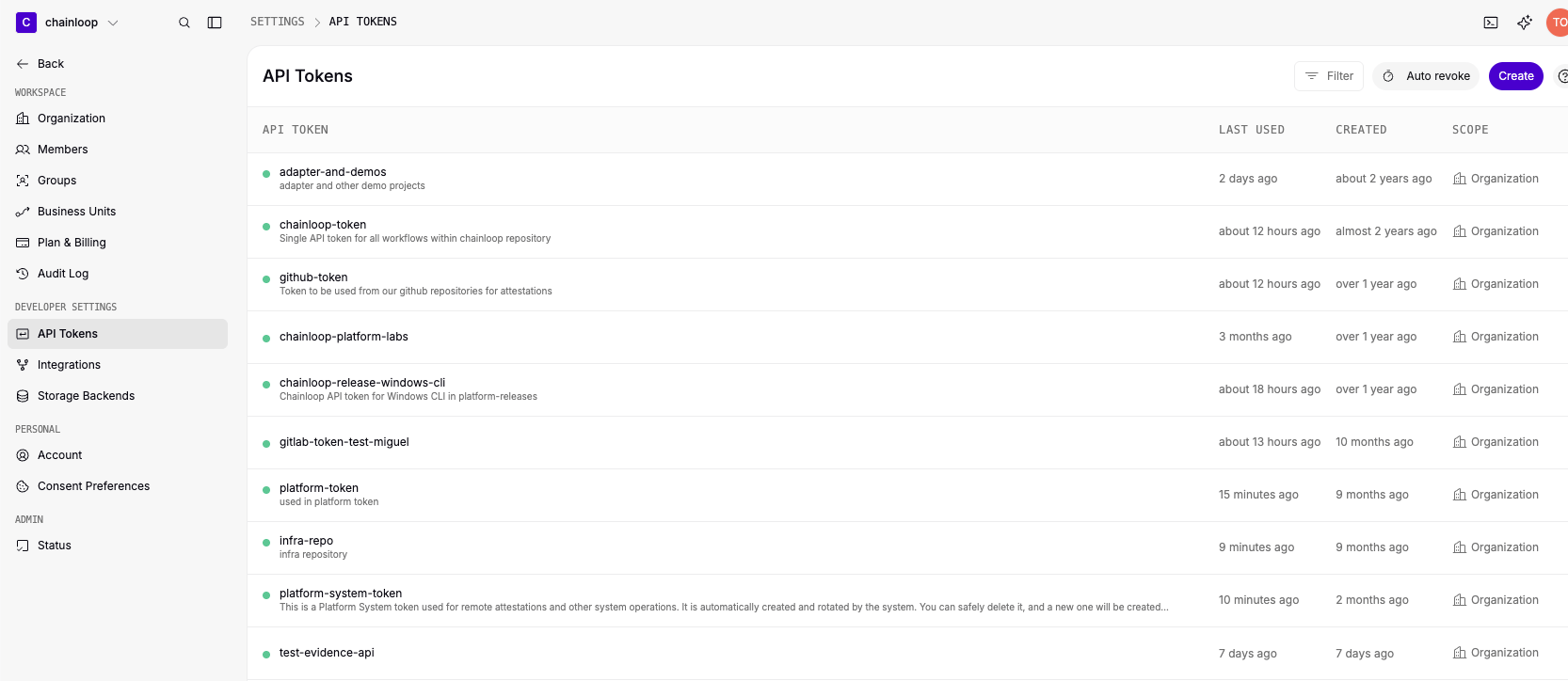
CHAINLOOP_TOKEN environment variable or by using the --token flag, for example
Product-Scoped API Tokens
A product-scoped API token belongs to one product. It reaches every project assigned to the product, and it follows the product:- When you assign a project to the product, the token reaches that project.
- When you unassign a project, the token loses access to it, unless another version of the product still includes it.
- A token of a product with no projects reaches no project.
- Organization owners and admins, and the Product Admins of the product, can create, list, and revoke them.
- Product Viewers can list them with the CLI or the API.
- Organization API tokens can create, list, and revoke them, for example to provision tokens unattended.
- Web UI
- CLI
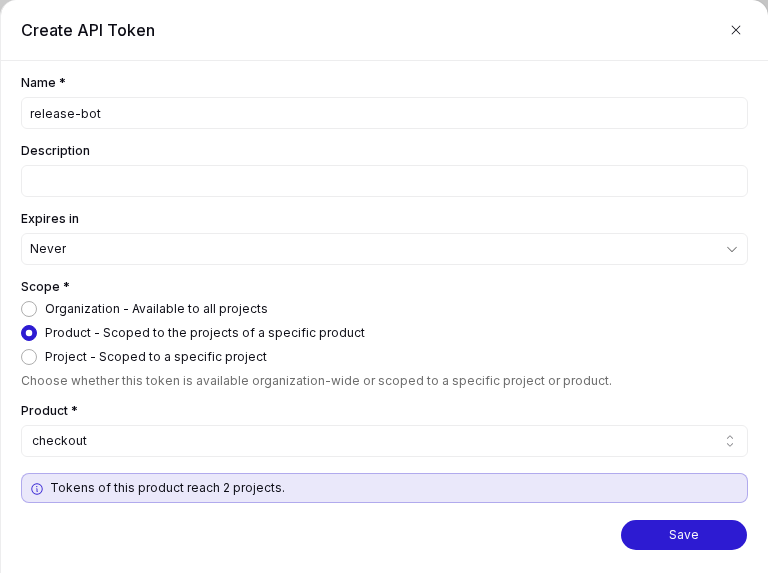
To manage the tokens of one product, open the product, open the Actions menu, and select Manage API tokens. The sheet lists the product’s tokens. Use Filter to show revoked tokens, Create to create a token, and the row action to revoke a token. When you create a token, the form states how many projects the product’s tokens reach, and warns you when the product has no projects.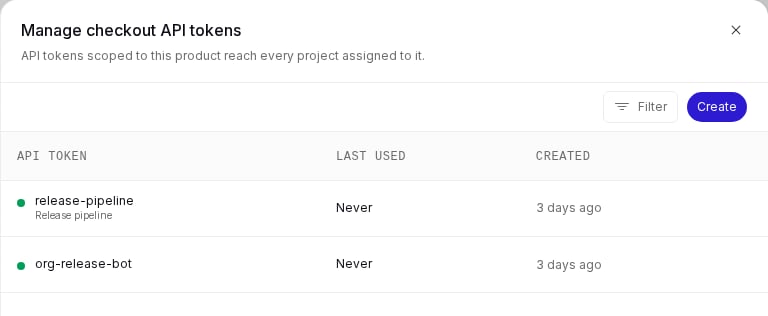
Auto-Revocation of Inactive Tokens
Organization administrators can configure Chainloop to automatically revoke API tokens that have not been used within a defined period. This helps reduce the risk of long-lived, forgotten tokens being misused. A background job runs hourly and checks all active tokens in your organization. A token is considered inactive if:- Its last used timestamp is older than the configured threshold, or
- It has never been used and was created before the threshold.
Enable Auto-Revocation
- Web UI
- CLI
Navigate to the API Tokens settings page and click the Auto revoke button to configure the inactivity threshold.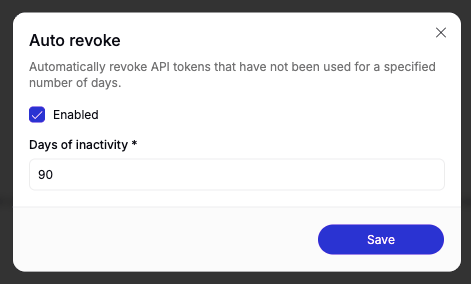
This feature is off by default. You must explicitly set a threshold to enable it. The setting is configured per organization.
Disable Auto-Revocation
To turn off auto-revocation, set the threshold to0 or toggle it off in the Web UI:
View the Current Setting
To check the current auto-revocation threshold for your organization:API token auto-revoke after: 90 days inactive.
Keyless OIDC Authentication
In some cases, like in GitLab, you can leverage their CI/CD machine identity to authenticate with Chainloop instead of Chainloop API tokens. More info here- Purpose:
- For non-interactive use (automation) such as CI/CD.
- To perform attestations