Overview

Control gates are checkpoints in your software supply chain that enforce specific policies and security checks. They ensure that only compliant artifacts and pieces of evidence progress through the pipeline, enhancing the overall security and integrity of your software delivery process. Control gates can be configured to evaluate various criteria, such as vulnerability scans, license compliance, code quality metrics, and more. By implementing control gates, organizations can automate the enforcement of security and compliance standards, reducing the risk of introducing vulnerabilities into production environments.

Implementing Control and Quality Gates with Chainloop

In Chainloop, control gates are implemented through policies that are evaluated against pieces of evidence (materials), entire attestation documents, or stored compliance data. These policies serve as acceptance criteria for the organization to ingest those materials or to proceed with further steps in the software supply chain. If a control gate policy evaluation fails, the CLI command chainloop attestation push will return a non-zero exit code but the attestation is still sent to Chainloop. This approach ensures that all activities are tracked, even those that do not meet compliance standards.

Configuring enforcement

Policies enforcement (gating) can be configured as a default for the organization and/or on a per policy basis.

Organization default

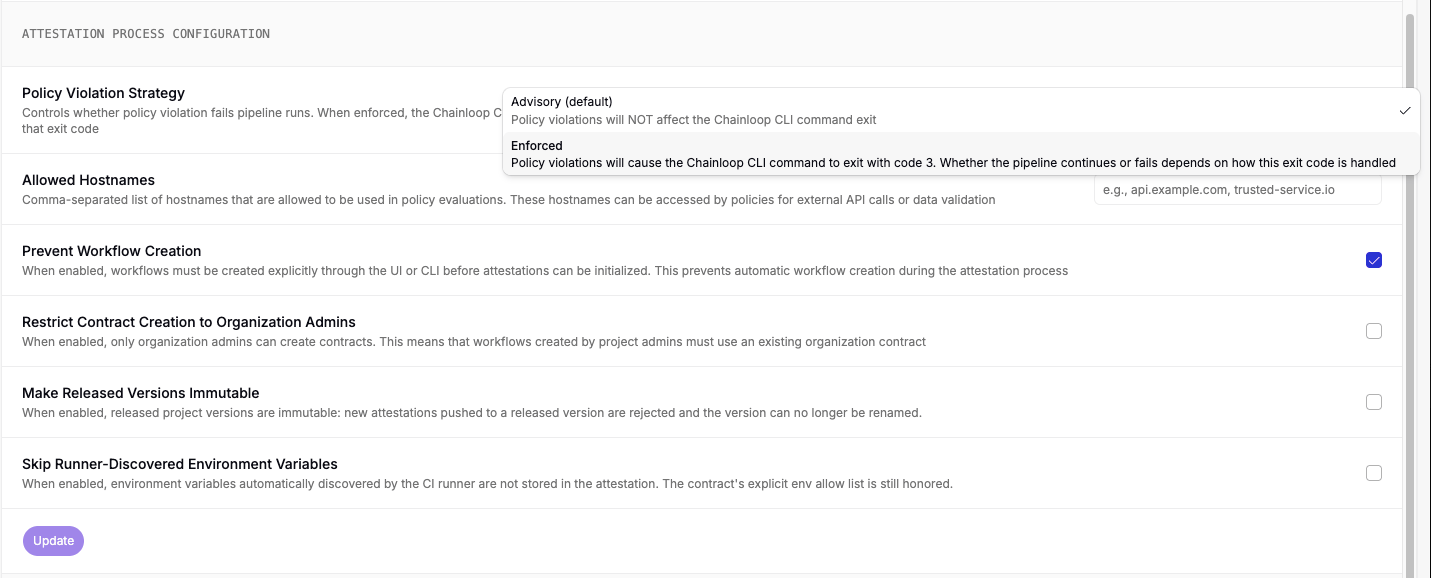
Global policy enforcement can be set globally by organization administrators. This will affect to all products and contracts within the organization. Please refer to Policies section for further reference. By selecting this option you’ll be effectively blocking the pipeline workflow runs that do not meet the compliance standards.
To enable organization-wide control gates, navigate to the Organization Settings in the Chainloop Web UI (only available in paid plans).Policy evaluation results

Fine-grained per policy

You can also enable gating capabilities to specific policies by adding the gate property in the policy attachment in the contract. This allows for more granular control over specific products or services. Policies defined at the contract level will override organization-wide policies. To set control gate policies at the contract level, include the gate flag in your policy definition:
# Workflow Contract
apiVersion: chainloop.dev/v1
kind: Contract
metadata:
  name: gated-release
  description: perform QA checks before releasing
spec:
  policies:
    attestation:
      - ref: my-control-gate-policy
        gate: true # This policy acts as a control gate

Using control gates in your CI/CD pipeline

A typical use case for control gates is to enforce security checks before allowing an artifact to be promoted to production. For example, you might want to ensure that no critical vulnerabilities are present in the codebase before proceeding with a release. This will be usually done in the CI/CD pipeline, where the chainloop attestation push command is executed after running security scans and tests. If the control gate policies are not met, the pipeline can be configured to halt further steps, preventing non-compliant artifacts from being deployed.
# Example CI/CD pipeline snippet
jobs:
  compliance:
    runs-on: ubuntu-latest

    steps:
      - name: Check security compliance
        run: |
          # initialize the attestation with the relevant workflow already configured with the gated contract
          chainloop attestation init --workflow security-compliance-check --project my-project
          # add any additional materials (optional)
          chainloop attestation add --name my-material --path ./path/to/material

          # push the attestation, this will evaluate the control gate policies and block if they fail
          chainloop attestation push
When a control gate policy is evaluated, if it fails, the chainloop attestation push command will return a non-zero exit code, indicating that the attestation did not pass the required checks. This mechanism helps prevent non-compliant artifacts from progressing through the CI/CD pipeline. CLI enforcement result Note that even though the pipeline is blocked, the attestation is still sent to Chainloop and recorded as “not compliant.” This ensures that all activities are tracked, including those that fail to meet compliance standards.

Bypassing Control Gates

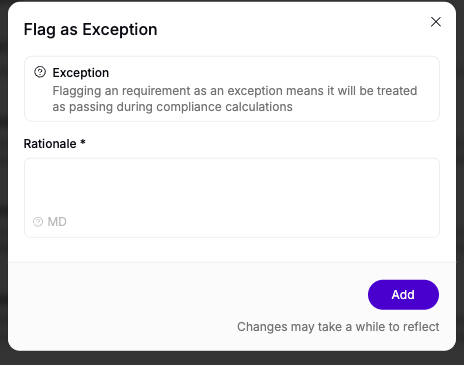
While blocking pipelines with control gates is essential for maintaining security and compliance standards, there are situations where developers may need to bypass these checks temporarily. For example, during urgent hotfixes or when investigating false positives. Chainloop provides the --exception-bypass-policy-check flag to handle these scenarios:
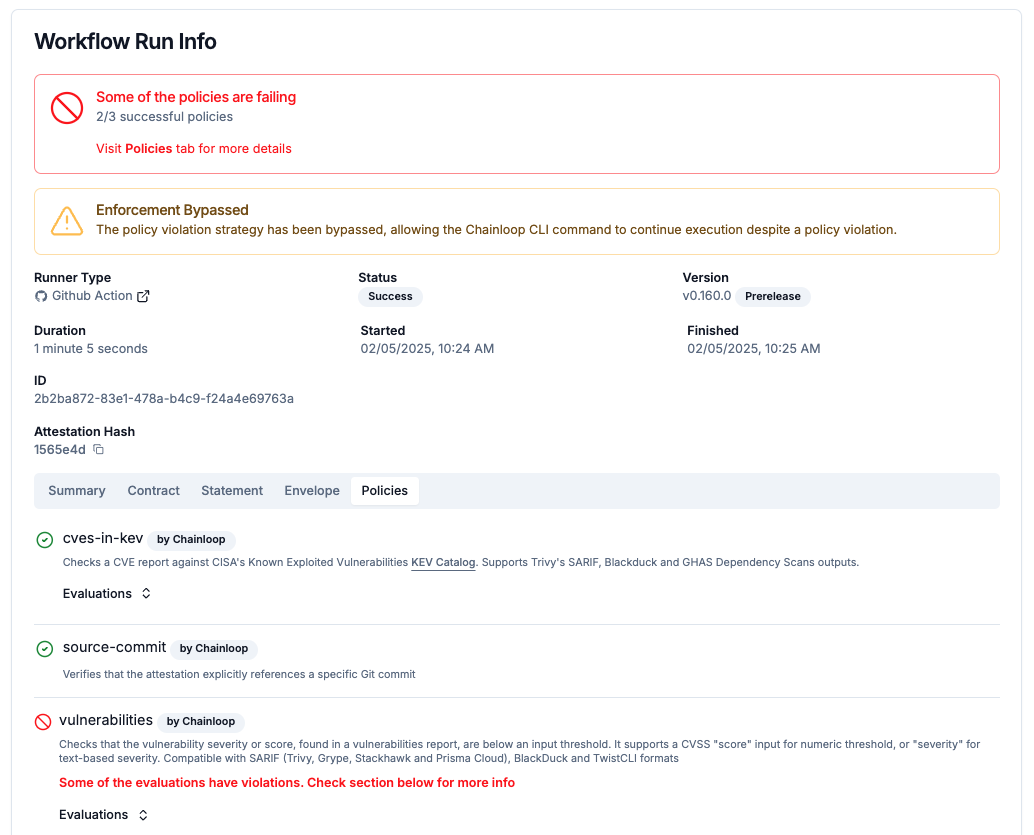
chainloop attestation push --exception-bypass-policy-check
When this flag is used, the CI/CD pipeline will run as expected, even if control gate policies fail. However, the bypass is not silent—the exception is recorded in Chainloop and exposed to the compliance team for verification. This ensures accountability while providing flexibility for developers. Exception bypass recorded in UI This approach balances the need for strict enforcement with practical flexibility, allowing security and compliance teams to review and address exceptions as part of their regular governance processes.

Examples

The examples below implement custom policies that leverage the following built-in functions to access project-scoped data

Example 1: check compliance requirements for my project

This feature is only available on Chainloop’s platform paid plans.
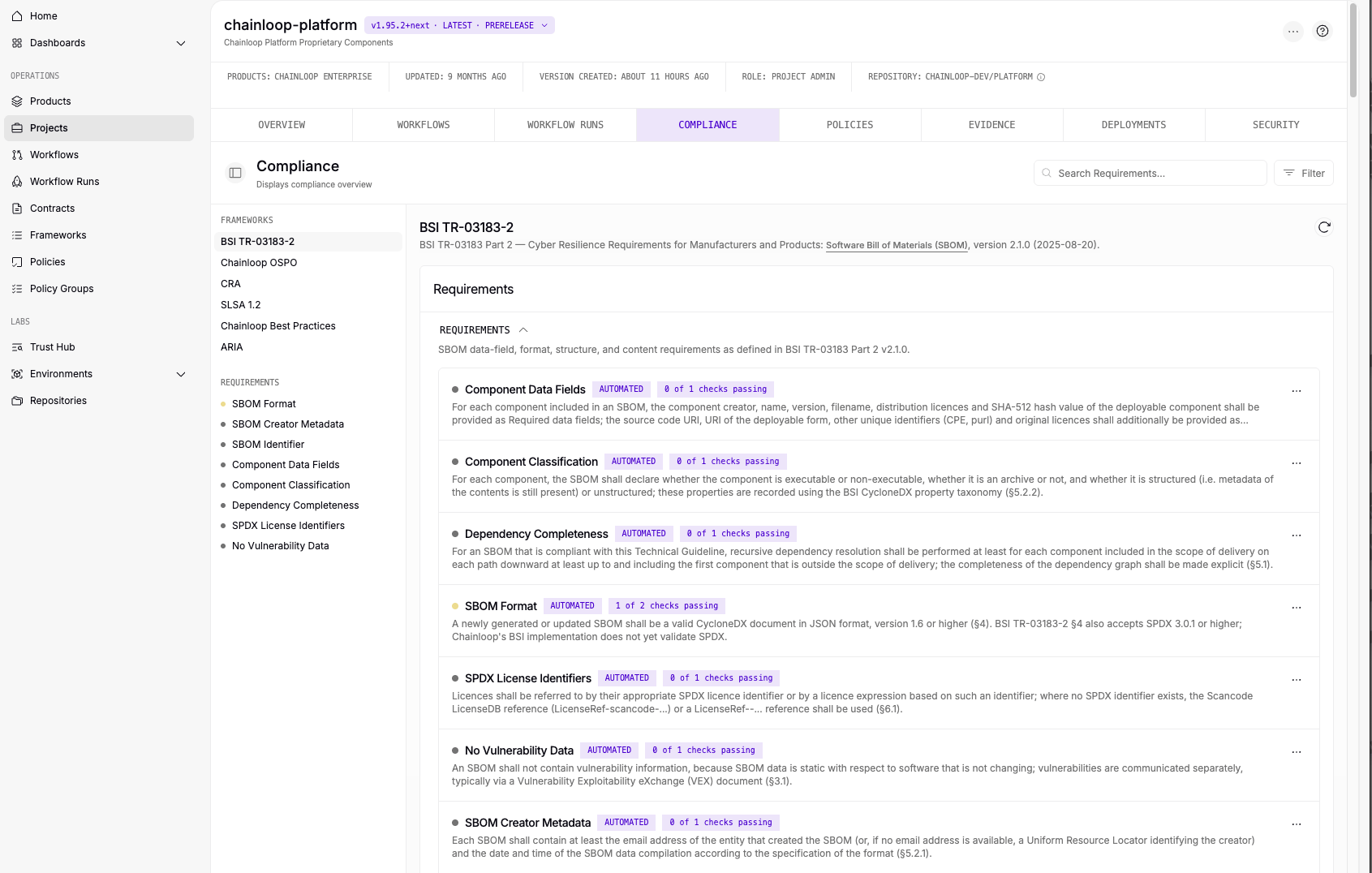
This policy checks that the project version being attested meets the “no-vulnerabilities-high” compliance requirement defined in the builtin framework “Chainloop Best Practices”. If the requirement is not met, the policy will trigger a violation, effectively acting as a control gate to block the attestation from being accepted. Note that this example uses the chainloop.project_compliance built-in function which is only available for paid plans.
# Policy
apiVersion: workflowcontract.chainloop.dev/v1
kind: Policy
metadata:
  name: cve-compliance-gate
  description: checks that the no-vulnerabilities-high compliance requirement is met
spec:
  policies:
    - kind: ATTESTATION
      embedded: |
        package main
        import rego.v1

        # CVE compliance checks
        violations contains msg if {
            compliance := chainloop.project_compliance({
              "project_name": input.predicate.metadata.project,
              "project_version_name": input.predicate.metadata.projectVersion,
            })
            some ev in compliance.evaluations
            ev.name == "no-vulnerabilities-high"
            ev.status == "fail"

            msg:= sprintf("project %s version %s has high severity vulnerabilities", [input.predicate.metadata.project, input.predicate.metadata.projectVersion])
        }

Example 2: check required pieces of evidence

This feature is only available on Chainloop’s platform paid plans.
This policy checks that an SBOM is attached to the staging release attestation for the current project version. If the SBOM is missing, the policy will trigger a violation, effectively acting as a control gate to block the attestation from being accepted. This example uses the chainloop.evidence built-in function which is only available for paid plans.
# Policy
apiVersion: workflowcontract.chainloop.dev/v1
kind: Policy
metadata:
  name: gate-required-sbom
  description: Checks that the an SBOM is attached to the staging release attestation
spec:
  policies:
    - kind: ATTESTATION
      embedded: |
        package main
        import rego.v1

        # Find staging release (a "release-staging" workflow attestation should exist in the project version) using the built-in evidence function
        staging_att := att if {
            attestations := chainloop.evidence({
                "project_name": input.predicate.metadata.project,
                "project_version_name": input.predicate.metadata.projectVersion,
                "kind": "ATTESTATION",
            })
            some att in attestations.results
            att.workflow_name == "release-staging"
        }

        # Find an SBOM in the attestation using the built-in discovery function
        has_sbom(att) if {
            graph := chainloop.discover(att.digest, "")
            some ref in graph.references
            ref.kind == "SBOM_CYCLONEDX_JSON"
        }

        violations contains msg if {
            not staging_att

            msg:= sprintf("project %s version %s not fully released to staging yet", [input.predicate.metadata.project, input.predicate.metadata.projectVersion])
        }

        violations contains msg if {
            staging_att
            not has_sbom(staging_att)

            msg:= sprintf("staging release attestation for project %s version %s does not have an SBOM", [input.predicate.metadata.project, input.predicate.metadata.projectVersion])
        }