Overview
Preview. Workflow templates are available on Chainloop’s paid plans and are currently a Preview feature — the schema and behavior may change.
- A contract — either embedded inline or a reference to an existing organization contract — that defines the evidence and policies the resulting workflow expects.
- Delivery mode(s) — how attestations reach Chainloop.
- Inputs (optional) — parameters that let a single template adapt to different projects.
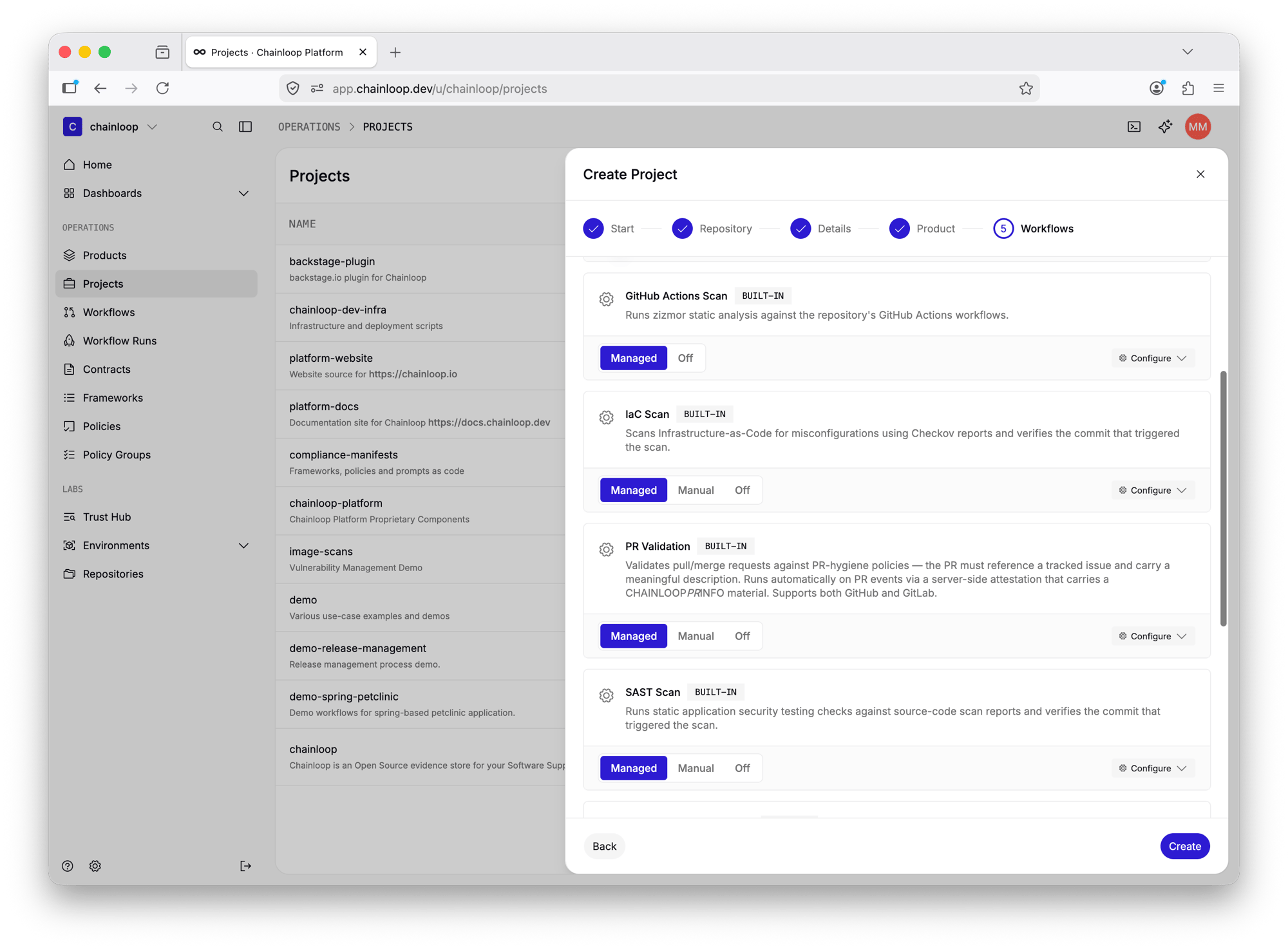
- Built-in templates — global, Chainloop-provided blueprints (for example, vulnerability, SAST, and secret scans) available to every organization. See Built-in Scanners for the full list and the tool behind each one.
- Custom templates — org-scoped blueprints you define and manage yourself with
chainloop apply.
Anatomy of a Template
Workflow templates follow the same Kubernetes-style schema as other declarative resources, withapiVersion, kind, metadata, and spec:
Metadata
Spec
Exactly one of
contract or contract_ref must be set — never both, and never neither.Embedded vs. Referenced Contracts
A template can carry its contract in one of two ways:- Embedded — define the contract inline under
spec.contract. Use this when the contract is specific to the template. - Referenced — point at an existing organization contract by name with
spec.contract_ref. Use this when you want several templates to share (and stay in sync with) a single contract.
Delivery Modes
spec.delivery declares how workflows created from the template deliver their attestations.
DELIVERY_MODE_MANUAL— the push model: attestations are performed from your own CI/CD pipeline and pushed to Chainloop. This is the mode you use in your own templates. Whendeliveryis omitted, the template defaults to manual delivery.DELIVERY_MODE_MANAGED— used by Chainloop’s built-in templates to run scans server-side, against a connected repository, with no CI involvement. It is not available to custom templates.
Template Inputs
Templates can declare inputs — parameters that make a single template reusable across projects with different requirements. Inputs are referenced as{{ inputs.<name> }} placeholders inside policy and policy group parameters, so a shared template can ship policies that need organization- or project-specific values.
Input values are validated when the template is applied and can be edited later from the project and workflow edit forms.
Managing Custom Templates
Custom (org-scoped) templates are managed declaratively withchainloop apply, the same command used for other Chainloop resources. Applying a template creates it if it does not exist, or updates it if a template with the same name already exists:
--dry-run to validate a template and preview the changes without persisting them:
Creating and updating org-scoped workflow templates requires an admin or owner role. Built-in templates are read-only.
Using Templates
Templates show up across the UI. You can:- Create a workflow from a template — pick a template and Chainloop provisions a workflow with the template’s contract, delivery mode, and input values already wired up.
- Select templates while onboarding or editing a project — attach one or more templates as part of project setup.