> ## Documentation Index
> Fetch the complete documentation index at: https://docs.chainloop.dev/llms.txt
> Use this file to discover all available pages before exploring further.
# Authentication Methods
The Chainloop CLI supports three methods to authenticate with the Chainloop Platform:
## User Authentication
* Purpose: For interactive use and attestations
* Association: Tied to a user account.
* Duration: Valid for 24 hours
They can be obtained by running the `chainloop auth login` command.
## Chainloop API tokens
* Purpose:
* For non-interactive use (automation) such as CI/CD.
* To perform attestations
* Association: Project-scoped or organization-scoped.
* Features:
* Customizable expiry and manual revocation.
* Supports fine-grained ACL for access control.
You can operate on your organization API tokens using the `chainloop organization api-token` command.
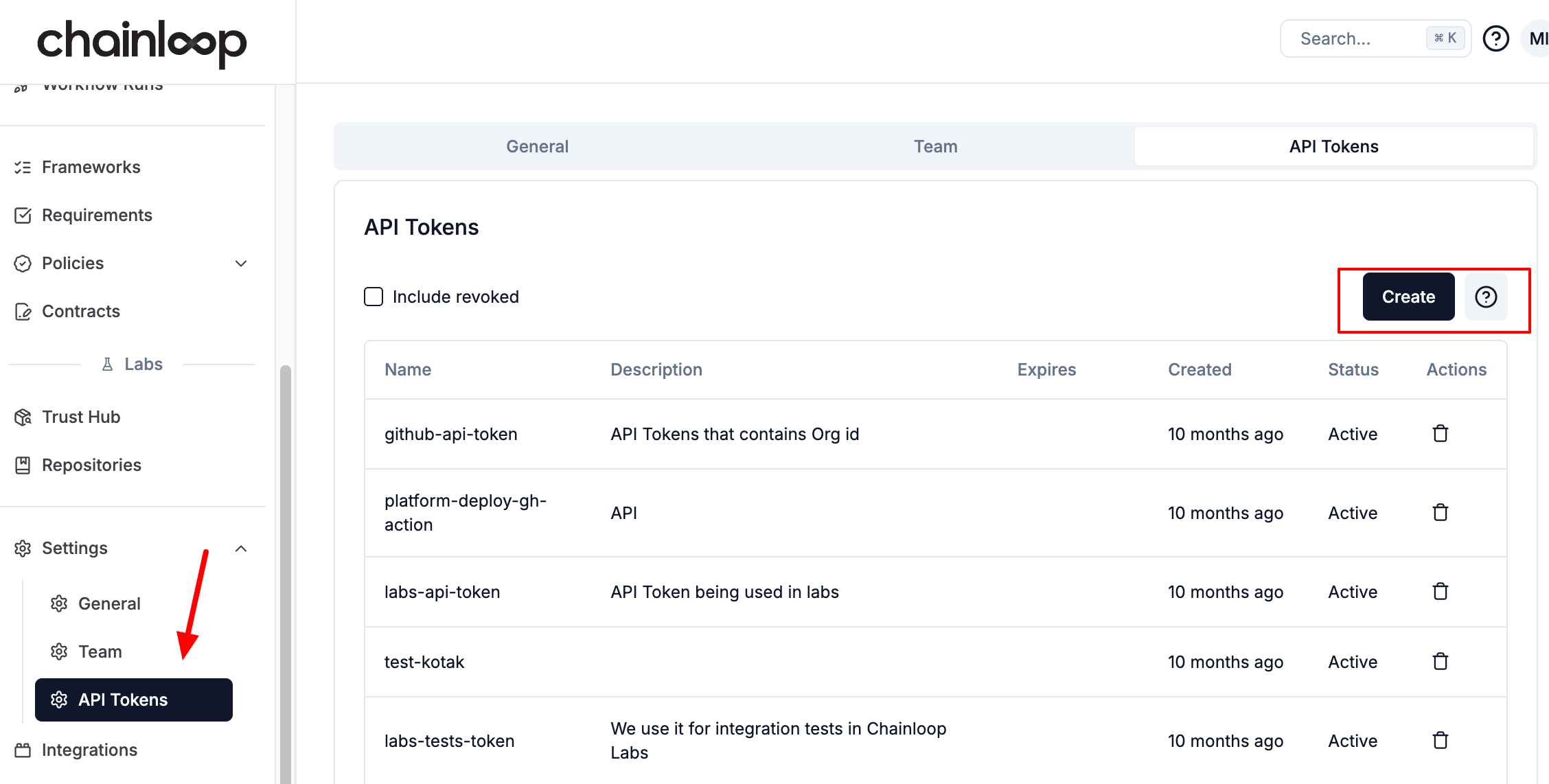
You can manage your API tokens in the [API Tokens Section](https://app.chainloop.dev/api-tokens).
 ```sh theme={"dark"}
$ chainloop organization api-token -h
Manage API tokens to authenticate with the Chainloop API.
Usage:
chainloop organization api-token [command]
Aliases:
api-token, token
Available Commands:
create Create an API Token
list List API tokens in this organization
revoke revoke API Token
```
and then they can be used by the CLI by either setting `CHAINLOOP_TOKEN` environment variable or by using the `--token` flag, for example
### Auto-Revocation of Inactive Tokens
Organization administrators can configure Chainloop to automatically revoke API tokens that have not been used within a defined period. This helps reduce the risk of long-lived, forgotten tokens being misused.
A background job runs **hourly** and checks all active tokens in your organization. A token is considered inactive if:
* Its **last used** timestamp is older than the configured threshold, **or**
* It has **never been used** and was created before the threshold.
#### Enable Auto-Revocation
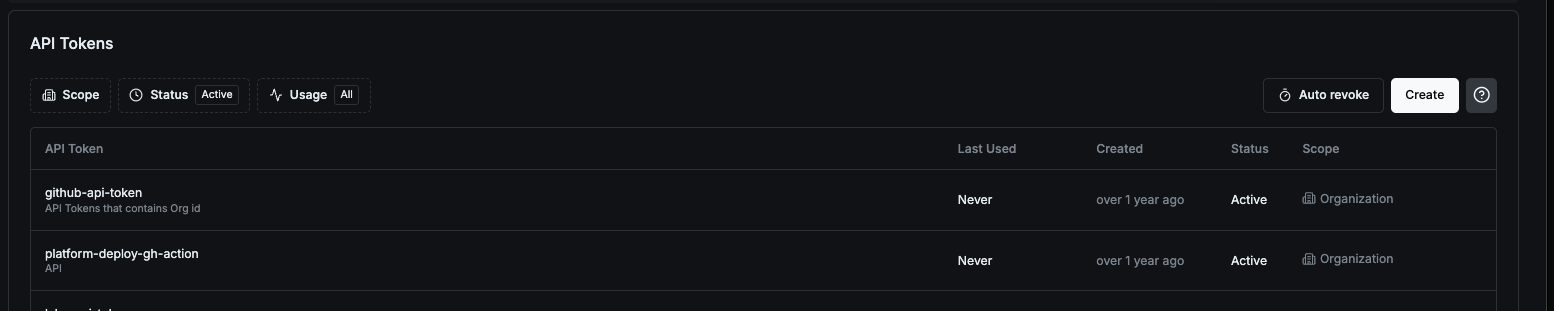
Navigate to the [API Tokens settings page](https://app.chainloop.dev/settings?tab=api-tokens) and click the **Auto revoke** button to configure the inactivity threshold.
```sh theme={"dark"}
$ chainloop organization api-token -h
Manage API tokens to authenticate with the Chainloop API.
Usage:
chainloop organization api-token [command]
Aliases:
api-token, token
Available Commands:
create Create an API Token
list List API tokens in this organization
revoke revoke API Token
```
and then they can be used by the CLI by either setting `CHAINLOOP_TOKEN` environment variable or by using the `--token` flag, for example
### Auto-Revocation of Inactive Tokens
Organization administrators can configure Chainloop to automatically revoke API tokens that have not been used within a defined period. This helps reduce the risk of long-lived, forgotten tokens being misused.
A background job runs **hourly** and checks all active tokens in your organization. A token is considered inactive if:
* Its **last used** timestamp is older than the configured threshold, **or**
* It has **never been used** and was created before the threshold.
#### Enable Auto-Revocation
Navigate to the [API Tokens settings page](https://app.chainloop.dev/settings?tab=api-tokens) and click the **Auto revoke** button to configure the inactivity threshold.
 Use the `chainloop organization update` command to set the maximum number of inactive days. Valid values are **1 to 365**.
```bash theme={"dark"}
# Revoke tokens inactive for more than 90 days
chainloop organization update --api-token-max-days-inactive 90
```
This feature is **off by default**. You must explicitly set a threshold to enable it. The setting is configured per organization.
#### Disable Auto-Revocation
To turn off auto-revocation, set the threshold to `0` or toggle it off in the Web UI:
```bash theme={"dark"}
chainloop organization update --api-token-max-days-inactive 0
```
#### View the Current Setting
To check the current auto-revocation threshold for your organization:
```bash theme={"dark"}
chainloop organization describe
```
If enabled, the output will include the configured threshold, for example `API token auto-revoke after: 90 days inactive`.
## Keyless OIDC Authentication
In some cases, like in GitLab, you can leverage their CI/CD machine identity to authenticate with Chainloop instead of Chainloop API tokens. More info here
* Purpose:
* For non-interactive use (automation) such as CI/CD.
* To perform attestations
Check the [GitLab Keyless Attestations](/guides/gitlab-keyless) guide for more information.
Use the `chainloop organization update` command to set the maximum number of inactive days. Valid values are **1 to 365**.
```bash theme={"dark"}
# Revoke tokens inactive for more than 90 days
chainloop organization update --api-token-max-days-inactive 90
```
This feature is **off by default**. You must explicitly set a threshold to enable it. The setting is configured per organization.
#### Disable Auto-Revocation
To turn off auto-revocation, set the threshold to `0` or toggle it off in the Web UI:
```bash theme={"dark"}
chainloop organization update --api-token-max-days-inactive 0
```
#### View the Current Setting
To check the current auto-revocation threshold for your organization:
```bash theme={"dark"}
chainloop organization describe
```
If enabled, the output will include the configured threshold, for example `API token auto-revoke after: 90 days inactive`.
## Keyless OIDC Authentication
In some cases, like in GitLab, you can leverage their CI/CD machine identity to authenticate with Chainloop instead of Chainloop API tokens. More info here
* Purpose:
* For non-interactive use (automation) such as CI/CD.
* To perform attestations
Check the [GitLab Keyless Attestations](/guides/gitlab-keyless) guide for more information.