> ## Documentation Index
> Fetch the complete documentation index at: https://docs.chainloop.dev/llms.txt
> Use this file to discover all available pages before exploring further.
# Overview
> Onboard a project, connect a repository, and turn on managed workflows.
This feature is only available on Chainloop's platform [paid plans](https://chainloop.dev/pricing).
Chainloop can onboard your software in two ways: connect a **source-code repository** so Chainloop can watch and scan it automatically, or start with a **project only** and send attestations from any CI/CD pipeline. The **Create Project wizard** guides you through either path.
## The two paths
Link a GitHub or GitLab repository. Chainloop prefills the project details and can run PR/MR validation and security scans server-side — no CI changes required.
Create a project with just a name and description. Instrument any CI/CD pipeline with the [Chainloop CLI](/get-started/first-attestation) and link a repository later.
## What connecting a repository unlocks
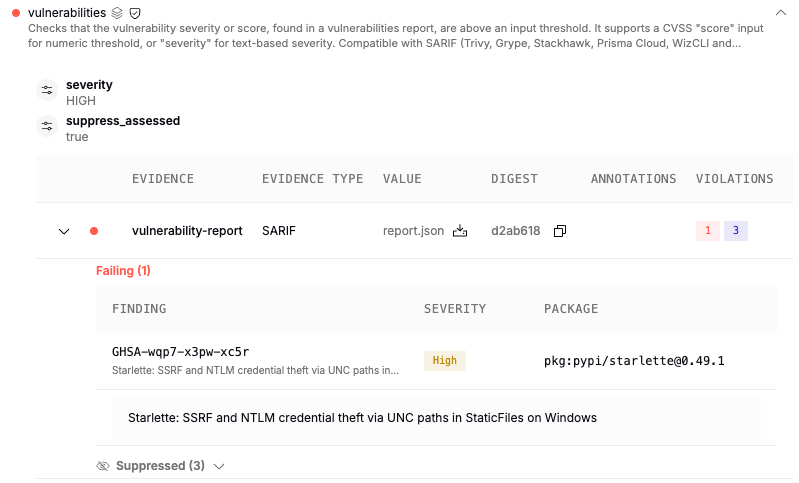 * **Managed workflows** — SCM configuration checks and security scanners run automatically, server-side, against your repository code.
* **AI auto-remediation** — for vulnerability findings, Chainloop assesses the issue with AI and proposes a fix as a pull/merge request. See [Vulnerability Management](/concepts/vulnerability-management#assessment-and-auto-remediation-using-ai).
* **AI agent tracking** — Chainloop watches AI agent configuration files in your repository for drift.
## Steps
A one-time, organization-level connection from the [Integrations](/get-started/projects/connect-repository) section.
Use the [Create Project wizard](/get-started/projects/create-project) to name the project and link a repository.
Choose which [built-in and managed workflows](/get-started/projects/managed-workflows) run for the project.
## Prerequisites
* A Chainloop account ([Chainloop Cloud](https://app.chainloop.dev/) or your own instance) — see [Setup](/get-started/setup).
* To link a repository: a connected GitHub or GitLab integration ([next page](/get-started/projects/connect-repository)). On a self-hosted instance, an administrator must first configure the [GitHub App](/guides/deployment/guides/github-app) or [GitLab integration](/guides/deployment/guides/gitlab-app).
* **Managed workflows** — SCM configuration checks and security scanners run automatically, server-side, against your repository code.
* **AI auto-remediation** — for vulnerability findings, Chainloop assesses the issue with AI and proposes a fix as a pull/merge request. See [Vulnerability Management](/concepts/vulnerability-management#assessment-and-auto-remediation-using-ai).
* **AI agent tracking** — Chainloop watches AI agent configuration files in your repository for drift.
## Steps
A one-time, organization-level connection from the [Integrations](/get-started/projects/connect-repository) section.
Use the [Create Project wizard](/get-started/projects/create-project) to name the project and link a repository.
Choose which [built-in and managed workflows](/get-started/projects/managed-workflows) run for the project.
## Prerequisites
* A Chainloop account ([Chainloop Cloud](https://app.chainloop.dev/) or your own instance) — see [Setup](/get-started/setup).
* To link a repository: a connected GitHub or GitLab integration ([next page](/get-started/projects/connect-repository)). On a self-hosted instance, an administrator must first configure the [GitHub App](/guides/deployment/guides/github-app) or [GitLab integration](/guides/deployment/guides/gitlab-app).