> ## Documentation Index
> Fetch the complete documentation index at: https://docs.chainloop.dev/llms.txt
> Use this file to discover all available pages before exploring further.
# Product and Project Compliance
So far we have performed attestations, attached pieces of evidence, evaluated policies and store the result in Chainloop.
In this section, we'll show you how you can see the compliance posture of your whole project and product with the use of [products](/concepts/products), [project versions](/concepts/projects-versions) and [compliance frameworks](/concepts/compliance-frameworks).
If you remember, during the attestation process you have been providing the `--project` flag with the value `myproject`, so let's inspect it in the [project view](https://app.chainloop.dev/projects/myproject).
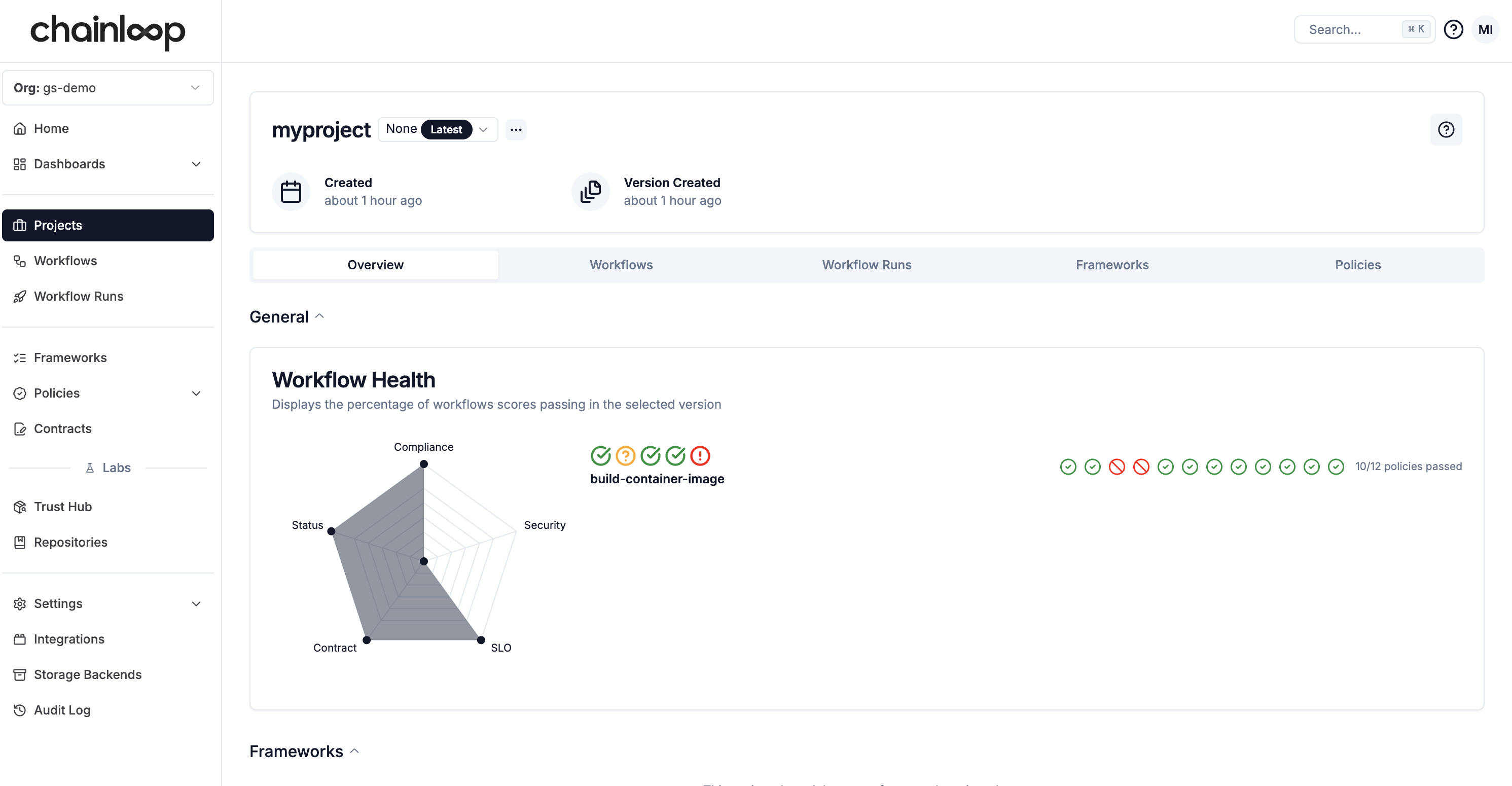 The goal of this view is to show you a high-level, aggregated view of your project workflows, pieces of evidence, policy evaluations and compliance score. You can learn more about the project view in this [guide](/concepts/projects-versions).
### Enabling compliance through products
In addition to the project concept that enables workflow, policy, and evidence aggregation, Chainloop also introduces the concept of product.
[Products](/concepts/products) can be seen as a collection of projects (components) to enable product management capabilities and become an entry point to manage compliance, alerting, and user access configuration at scale.
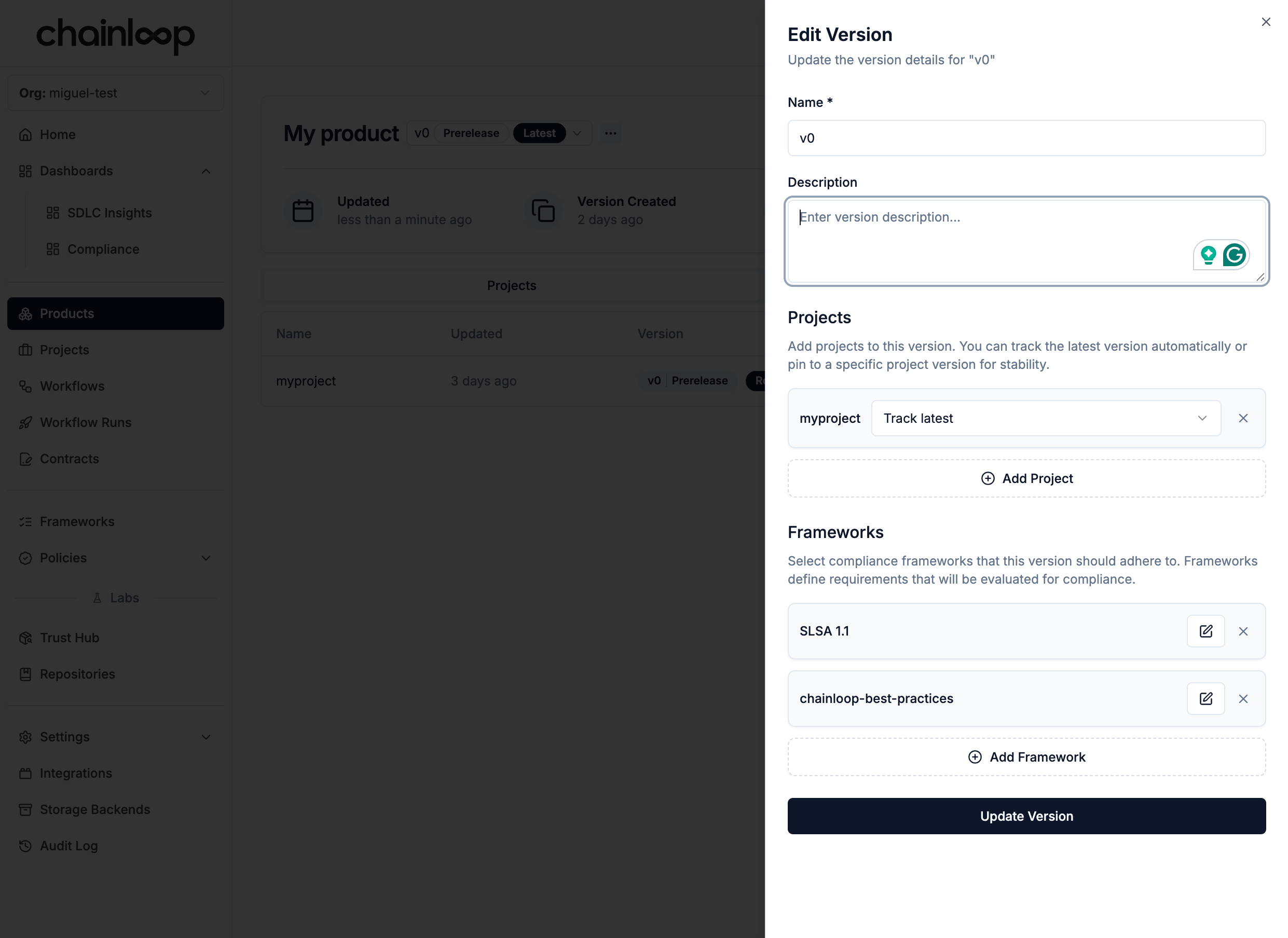
To enable compliance, you need to create a product and then 1) attach the project to it 2) attach the compliance frameworks that we want to use, in our case we will use the `SLSA` and `chainloop-best-practices` frameworks
The goal of this view is to show you a high-level, aggregated view of your project workflows, pieces of evidence, policy evaluations and compliance score. You can learn more about the project view in this [guide](/concepts/projects-versions).
### Enabling compliance through products
In addition to the project concept that enables workflow, policy, and evidence aggregation, Chainloop also introduces the concept of product.
[Products](/concepts/products) can be seen as a collection of projects (components) to enable product management capabilities and become an entry point to manage compliance, alerting, and user access configuration at scale.
To enable compliance, you need to create a product and then 1) attach the project to it 2) attach the compliance frameworks that we want to use, in our case we will use the `SLSA` and `chainloop-best-practices` frameworks
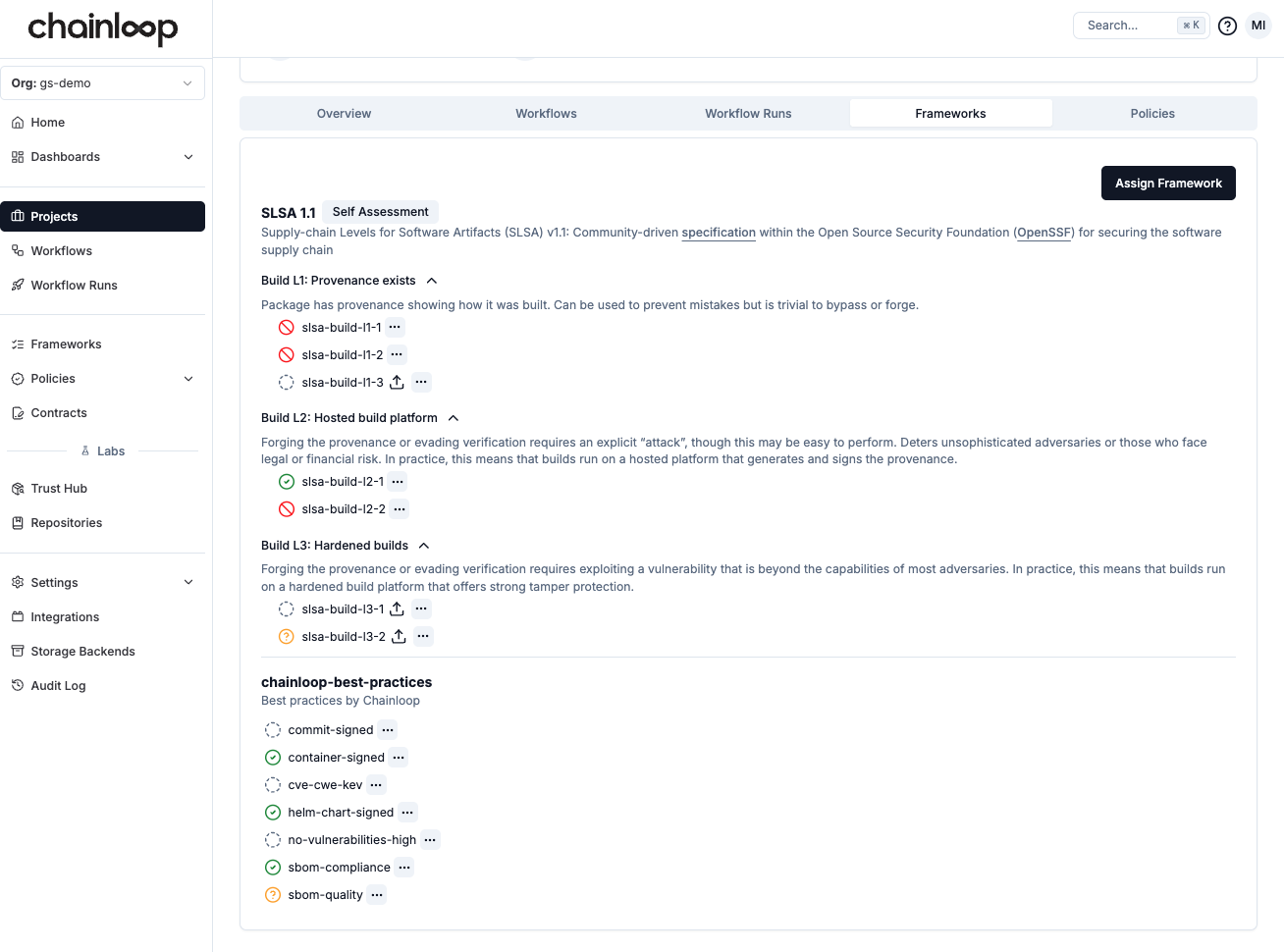
 Once done, you should be able to see the list of requirements automatically fulfilled by your workflows.
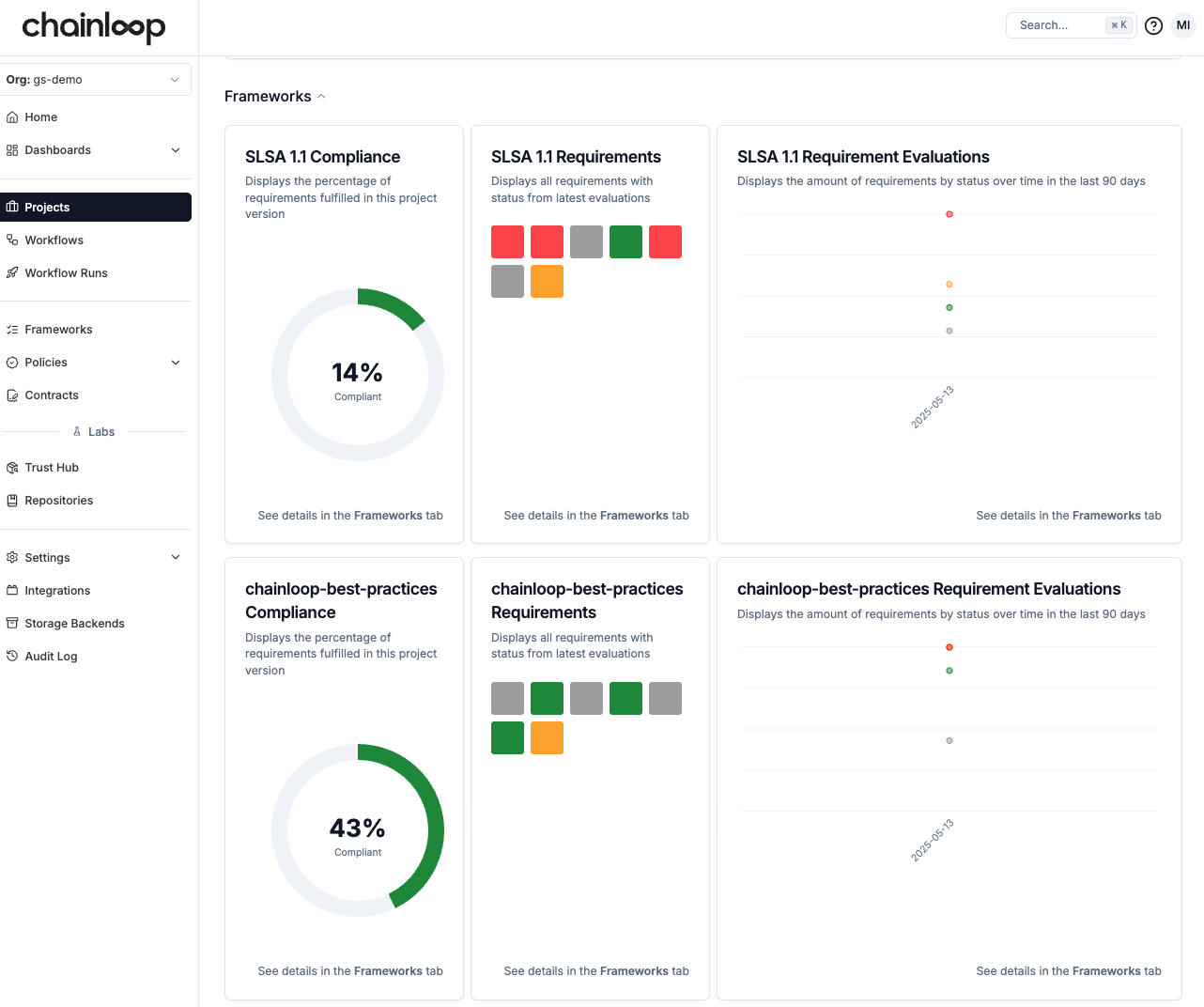 and you can drill down to see the details of each requirement in the frameworks tab.
 ### Manage Project Versions
**Important: A "project" is different than a ["product"](/concepts/products)**, as well as a "project version" is different than a "product version".
Project versions represent the version of the component while product versions represent the version of the product.
Products and project versions can evolve independently.
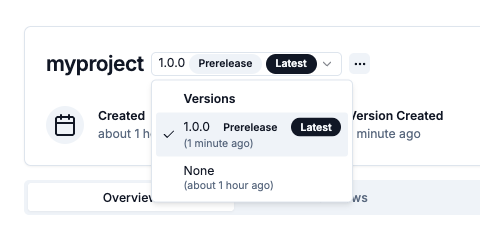
As you can see at the top left, there is a version selector with the `none` value for now. Chainloop allows you to create versions of your project, so all the compliance data can be aggregated by version. To learn more about versions, check this [guide](/concepts/projects-versions#project-versions).
Let's try to perform the same attestation than before but this time providing the `--version` flag with the value `1.0.0`.
```bash theme={"dark"}
chainloop att init --workflow build-container-image --project myproject --version 1.0.0 --replace
# Provide materials
chainloop att add --name container --value ghcr.io/chainloop-dev/chainloop/control-plane
chainloop att add --name sbom --value https://raw.githubusercontent.com/chainloop-dev/chainloop/refs/heads/main/docs/examples/quickstart/sbom.json
chainloop att add --name vulnerabilities-report --value https://raw.githubusercontent.com/chainloop-dev/chainloop/refs/heads/main/docs/examples/quickstart/vulnerability-report.json
# Sign and push
chainloop att push
```
You now have the version `1.0.0` in the selector up top
### Manage Project Versions
**Important: A "project" is different than a ["product"](/concepts/products)**, as well as a "project version" is different than a "product version".
Project versions represent the version of the component while product versions represent the version of the product.
Products and project versions can evolve independently.
As you can see at the top left, there is a version selector with the `none` value for now. Chainloop allows you to create versions of your project, so all the compliance data can be aggregated by version. To learn more about versions, check this [guide](/concepts/projects-versions#project-versions).
Let's try to perform the same attestation than before but this time providing the `--version` flag with the value `1.0.0`.
```bash theme={"dark"}
chainloop att init --workflow build-container-image --project myproject --version 1.0.0 --replace
# Provide materials
chainloop att add --name container --value ghcr.io/chainloop-dev/chainloop/control-plane
chainloop att add --name sbom --value https://raw.githubusercontent.com/chainloop-dev/chainloop/refs/heads/main/docs/examples/quickstart/sbom.json
chainloop att add --name vulnerabilities-report --value https://raw.githubusercontent.com/chainloop-dev/chainloop/refs/heads/main/docs/examples/quickstart/vulnerability-report.json
# Sign and push
chainloop att push
```
You now have the version `1.0.0` in the selector up top
 ### Aggregate data
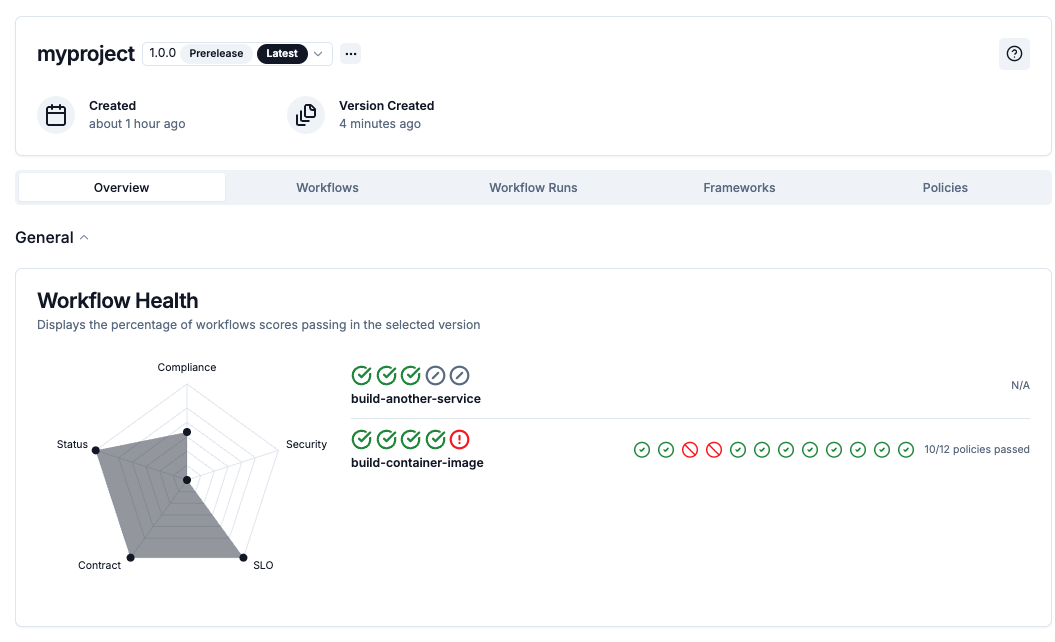
As mentioned before the goal of this view is to show you a high-level, aggregated view of your project workflows, pieces of evidence, policy evaluations and compliance score for each version.
So let's try to perform another attestation but this time from another workflow
```bash theme={"dark"}
chainloop att init --workflow build-another-service --project myproject --version 1.0.0 --replace
# We can push already since it has an empty contract
chainloop att push
```
Now you should be able to see the new workflow in the project view and any policy, and metadata evaluations aggregated by version.
### Aggregate data
As mentioned before the goal of this view is to show you a high-level, aggregated view of your project workflows, pieces of evidence, policy evaluations and compliance score for each version.
So let's try to perform another attestation but this time from another workflow
```bash theme={"dark"}
chainloop att init --workflow build-another-service --project myproject --version 1.0.0 --replace
# We can push already since it has an empty contract
chainloop att push
```
Now you should be able to see the new workflow in the project view and any policy, and metadata evaluations aggregated by version.