> ## Documentation Index
> Fetch the complete documentation index at: https://docs.chainloop.dev/llms.txt
> Use this file to discover all available pages before exploring further.
# Issue Trackers
This feature is only available on Chainloop's platform [paid plans](https://chainloop.dev/pricing).
## Overview
Issue Tracker integrations connect Chainloop to your team's issue tracker so you can turn security assessments into trackable issues. Instead of copying findings by hand, you create an issue straight from an assessment and let your team triage and track remediation alongside the rest of their planning work.
Each issue captures the assessment's:
* Severity and CVSS vector
* Scope and status
* Justification and notes
* Linked findings (CVE and affected package)
* A deep link back to the assessment in Chainloop
## Configuring an issue tracker
Issue Tracker integrations are configured through the Platform UI, in the [integrations section](./integrations), the same place where Fan-out and Notification integrations live.
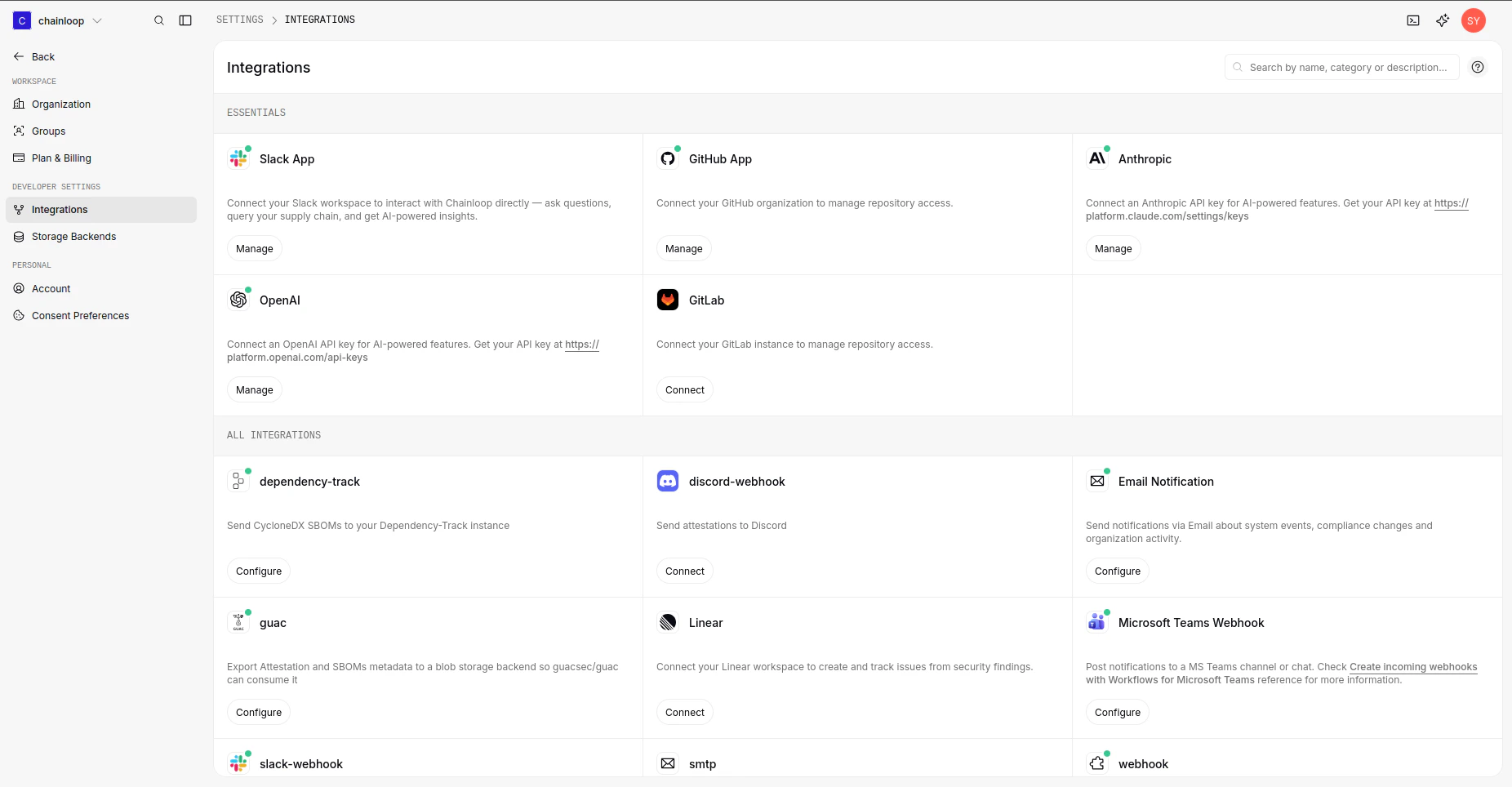 Current available issue trackers include:
* **Linear**. Connect your workspace through the in-app authorization flow — no API key or webhook URL to manage.
More issue trackers will be added in future releases.
## Creating an issue from an assessment
Once an issue tracker is connected, open an assessment and choose **Create issue**:
1. Pick the **team** the issue should be filed under.
2. Review the **title** and **description** — Chainloop prefills both from the assessment, and you can edit them before creating.
3. Optionally set an **assignee**, **workflow state**, **priority**, and **labels**.
Current available issue trackers include:
* **Linear**. Connect your workspace through the in-app authorization flow — no API key or webhook URL to manage.
More issue trackers will be added in future releases.
## Creating an issue from an assessment
Once an issue tracker is connected, open an assessment and choose **Create issue**:
1. Pick the **team** the issue should be filed under.
2. Review the **title** and **description** — Chainloop prefills both from the assessment, and you can edit them before creating.
3. Optionally set an **assignee**, **workflow state**, **priority**, and **labels**.